
The Best Fluffy Pancakes recipe you will fall in love with. Full of tips and tricks to help you make the best pancakes.
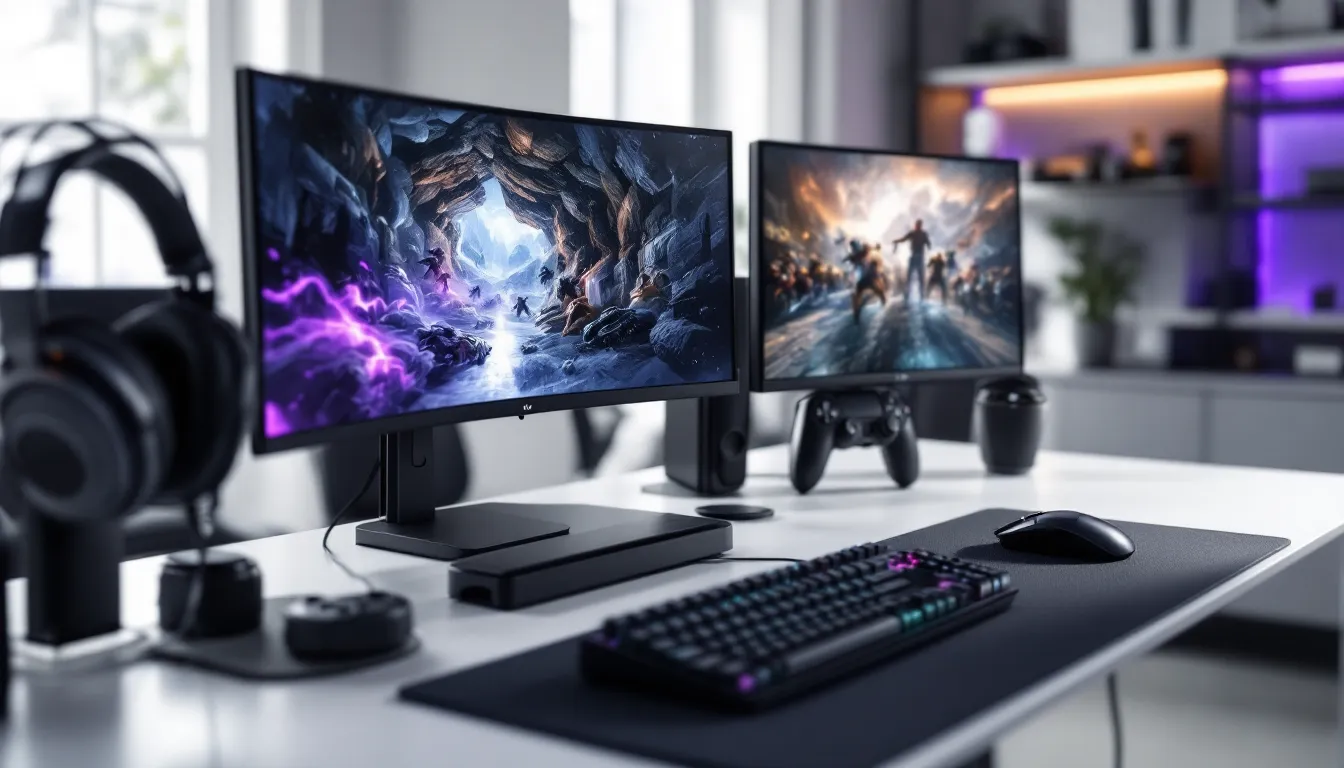
Gaming Supplies: Your Complete 2026 Guide to Essential Gear for PC, Console, and Mobile
The gap between a frustrating gaming session and a winning streak often comes down to the gear you’re using. Whether you’re grinding ranked matches, streaming to an audience, or just trying to relax with a mobile game during your commute, the right gaming supplies can make or break your experience. 2026 has brought a wave of new tech, higher refresh rates, adaptive sync improvements, and wireless peripherals that finally match their wired counterparts in latency. But with so many options flooding the market, knowing what’s actually worth your money versus what’s marketing hype is tougher than ever. This guide cuts through the noise to break down the essential gaming supplies across PC, console, and mobile platforms, so you can build a setup that matches your playstyle and budget without wasting cash on gimmicks.
Understanding Gaming Supplies: What Every Gamer Needs
Gaming supplies aren’t just about flashy RGB lighting and branded boxes. They’re the tools that translate your intent into in-game action, and bad gear introduces lag, discomfort, or outright failure at critical moments.
At the core, every gamer needs three things: input devices (how you control the game), output devices (how you see and hear it), and comfort solutions (how you sustain performance over hours). PC gamers prioritize keyboards, mice, and monitors. Console players focus on controllers, TVs, and audio. Mobile gamers need triggers, cooling, and portable power.
The meta has shifted toward hybrid setups. Cross-platform play means a PC gamer might grab a controller for fighting games, while console players are adopting keyboard-and-mouse adapters for competitive shooters. Mobile gaming has exploded beyond casual titles, games like Genshin Impact and Call of Duty: Mobile demand gear that rivals traditional platforms.
Budget matters, but so does prioritization. A $50 mouse with a top-tier sensor will outperform a $150 model loaded with useless features. Same logic applies to headsets, chairs, and every other category. The key is understanding what specs actually impact your performance and which are just marketing fluff.
Essential Gaming Supplies for PC Gamers
PC gaming demands precision, and your peripherals are where that precision lives or dies. Here’s what actually matters in 2026.
Gaming Keyboards: Mechanical vs. Membrane
Mechanical keyboards dominate competitive play for good reason. They offer tactile feedback, faster actuation, and longer lifespans (50-100 million keystrokes versus 5-10 million for membranes). The switch type changes everything: Cherry MX Reds and similar linear switches are preferred for FPS games due to smooth, uninterrupted keypresses. Tactile switches (Browns, Clears) suit MOBAs and MMOs where you need to feel the actuation point without the loud click. Clicky switches (Blues) are satisfying but noisy, your Discord squad will hear every keypress.
Hot-swappable boards let you change switches without soldering, a huge advantage if you’re still finding your preference. Look for N-key rollover (NKRO) and anti-ghosting, essential for games requiring simultaneous inputs. Wireless has caught up in 2026: models with 2.4GHz dongles and 1000Hz polling rates match wired latency.
Membrane keyboards still have a place for budget builds or quiet environments. They’re mushier, but modern gaming membranes have improved response times enough for casual play.
Gaming Mice: Precision and Performance
Your mouse sensor is non-negotiable. PixArt 3370, 3395, and similar optical sensors in 2026 offer flawless tracking up to 20,000+ DPI with zero acceleration or smoothing. Don’t chase DPI numbers, most pros play between 400-1600 DPI with adjusted in-game sensitivity. What matters is consistent tracking across fast flicks and slow adjustments.
Weight and shape are personal. Lightweight mice (under 60g) dominate FPS circles for quick movements, but some players prefer 80-90g for controlled precision. Ergonomic shapes suit palm grippers: ambidextrous low-profile designs favor claw and fingertip grips. Try before you buy if possible, or check return policies.
Wireless vs. wired is no longer a debate. Top-tier wireless mice from brands like Logitech, Razer, and newer competitors deliver sub-1ms latency with battery life exceeding 70 hours. Charging docks and quick-charge features mean you’ll never be tethered mid-match.
Programmable buttons matter for MMOs and MOBAs. Side buttons should be accessible without repositioning your grip. Avoid mice with excessive buttons unless your game demands them, they add bulk and accidental presses.
Monitors and Display Technology
Your monitor is your window into the game world, and 2026’s display tech has raised the bar. Refresh rate determines how many frames per second your screen can show. 144Hz is the minimum for competitive play: 240Hz and 360Hz monitors suit high-skill FPS players who can consistently push those frame rates. If your GPU can’t match the refresh rate, you’re wasting money.
Panel type affects color, response time, and viewing angles. TN panels offer the fastest response times (1ms) but suffer in color accuracy and viewing angles, still popular in esports. IPS panels balance speed (now reaching 1ms GTG) with vibrant colors and wide viewing angles, making them the default choice for most gamers. VA panels deliver deep blacks and high contrast but can introduce ghosting in fast motion.
Adaptive sync (G-Sync, FreeSync) eliminates screen tearing by matching your monitor’s refresh rate to your GPU’s output. Both Nvidia and AMD GPUs support both standards in 2026, so don’t overpay for proprietary branding. Independent testing from sources like monitor testing sites can help validate manufacturer claims about response times and color accuracy.
Resolution scales with screen size. 1080p works fine on 24-inch screens and maximizes frame rates. 1440p (QHD) is the sweet spot for 27-inch displays, balancing visual clarity and GPU demands. 4K gaming requires serious hardware, think RTX 5080 or higher, and even then, competitive players often drop to 1440p for higher frame rates.
Must-Have Console Gaming Supplies
Console gaming has its own ecosystem of essential gear, focused on controllers, storage, and optimizing your living room setup.
Controllers and Accessories
Stock controllers get the job done, but third-party options and accessories extend functionality. Elite or pro controllers add back buttons, adjustable stick tension, and swappable components. These matter in competitive shooters where jumping or crouching without moving your thumb off the aim stick provides a tangible advantage.
Kontrol Freek-style thumbstick extenders increase leverage for finer aim adjustments. They’re cheap ($10-20) and surprisingly effective for FPS players. Trigger stops reduce trigger travel distance, shaving milliseconds off your reaction time in games where every frame counts.
Controller grips improve comfort during marathon sessions. Textured grips prevent slipping during intense moments, and battery packs eliminate the constant hunt for AA batteries. PS5’s DualSense battery life remains weak (8-12 hours with haptics enabled), making charging docks or battery packs near-essential.
For fighting game enthusiasts, arcade sticks or hitbox controllers offer precision that standard controllers can’t match. These are niche but game-changing in their genre.
Charging Solutions and Storage
Nothing kills momentum like a dead controller mid-match. Dual charging stations keep backup controllers ready while displaying them cleanly. Look for stations with overcharge protection and LED indicators showing charge status.
External SSDs expand storage without sacrificing load times. PS5’s M.2 slot supports Gen4 NVMe drives up to 8TB: Xbox Series X
|
S uses proprietary expansion cards (pricier but plug-and-play). Both platforms support external USB SSDs for backward-compatible games, offering cheaper storage for older titles.
Controller cases protect gear during travel or LAN events. Hard-shell cases with custom foam cutouts prevent stick drift from rough handling.
Mobile Gaming Gear That Elevates Your Experience
Mobile gaming has shed its “casual” label. Competitive mobile titles demand gear that reduces latency, improves control, and maintains performance during extended sessions.
Controller Attachments and Triggers
Clip-on triggers replicate controller shoulder buttons, giving mobile shooters a massive advantage. Brands like GameSir and Backbone offer triggers that physically press the screen where you’d normally tap, eliminating the delay of lifting your thumbs to fire. These cost $15-50 and are tournament-legal in most mobile esports.
Bluetooth controllers with phone clips turn your device into a miniature console. Look for controllers with low latency (under 20ms) and platform-specific compatibility. Some games don’t support controller input, so check before investing.
Grip attachments improve handling without adding functionality. They’re especially useful for larger phones (6.5+ inches) that become awkward during long sessions. Textured grips prevent slipping, and some include kickstands for table play.
Cooling Solutions and Power Banks
Modern mobile games push hardware to thermal limits. Phone cooling fans attach via clamp or MagSafe-style magnets, using active cooling to prevent thermal throttling. Phones like the iPhone 15 Pro and Samsung S24 Ultra can lose 20-30% performance after 15 minutes of intensive gaming without cooling. A $20-40 cooler maintains peak performance and extends device lifespan.
Power banks with high wattage (30W+) support fast charging while gaming. Capacities of 10,000-20,000mAh provide multiple full charges. Look for passthrough charging so you can charge the power bank and phone simultaneously. Anker and RAVPower models consistently perform well in endurance tests.
Cable management matters for mobile setups. Right-angle USB-C or Lightning cables prevent awkward bends that interfere with your grip. Some power banks include integrated cables, reducing clutter.
Audio Supplies: Headsets, Speakers, and Microphones
Audio isn’t just immersion, it’s information. Footsteps, reloads, and directional cues provide competitive advantages that visuals alone can’t match.
Gaming headsets split into wired and wireless, each with trade-offs. Wired headsets eliminate battery anxiety and latency concerns. Wireless models in 2026 use 2.4GHz dongles with latency under 20ms, imperceptible to most players. Battery life now exceeds 30 hours on premium models, and USB-C quick charging adds hours of use from 15-minute charges.
Driver size (40mm-50mm) impacts sound signature, but tuning matters more. Overemphasized bass sounds impressive in marketing but masks critical mid and high frequencies where footsteps and ability cues live. Look for headsets with balanced sound signatures or companion apps offering EQ customization.
Surround sound comes in two flavors: virtual (stereo drivers with processing) and true (multiple drivers per ear). Virtual surround from Dolby Atmos or Windows Sonic works well enough for gaming. True multi-driver setups add weight, cost, and rarely outperform quality stereo. Testing from publications like gaming peripheral reviews can help separate marketing from measurable performance.
Microphone quality matters if you’re in voice chat or streaming. Boom mics on gaming headsets have improved, but standalone mics still dominate quality. USB condenser mics like the Blue Yeti or Audio-Technica AT2020USB+ capture clearer audio with less background noise. They require desk space and boom arms for optimal positioning.
Pop filters and shock mounts reduce plosives and vibration noise. They’re cheap additions ($10-20 each) that dramatically improve audio quality. If you’re streaming or content creating, they’re non-negotiable.
Speakers work for single-player games but leak audio in shared spaces. Bookshelf speakers with a dedicated subwoofer provide room-filling sound, but headsets remain superior for competitive play where directional audio matters.
Comfort and Ergonomics: Chairs, Desks, and Lighting
Performance tanks when you’re uncomfortable. Gear that reduces fatigue and prevents injury pays dividends over years of gaming.
Gaming Chairs for Long Sessions
Gaming chairs have a reputation problem, overpriced racing seats with mediocre ergonomics. The best chairs aren’t branded as “gaming” at all. Office task chairs from Herman Miller, Steelcase, and Secretlab’s newer ergonomic lines offer superior lumbar support, adjustable armrests, and breathable materials.
Key features include adjustable lumbar support (not just a pillow), 4D armrests (height, width, depth, angle), and breathable mesh or fabric (leather looks premium but traps heat). Seat depth adjustment matters for shorter or taller users, your knees shouldn’t press against the seat edge.
Budget options exist. Chairs in the $200-350 range from brands like Secretlab Titan Evo or autonomous ErgoChair offer decent ergonomics without the $1000+ price tag of premium office chairs. Avoid the ultra-cheap “gaming” chairs under $150, they’re built to fail within a year.
Footrests improve posture if your chair doesn’t adjust low enough for your feet to rest flat. A slight recline (100-110 degrees) reduces spinal pressure compared to sitting bolt upright.
Desk Setup and Cable Management
Desk height determines posture. Your elbows should rest at 90 degrees with hands on the keyboard. Most desks sit at 28-30 inches, which works for average heights (5’7″-6’0″). Shorter or taller gamers benefit from adjustable-height desks or monitor/keyboard risers.
Desk space accommodates your gear. A 60-inch wide desk fits dual monitors, a full-sized keyboard, mouse pad, and peripherals without crowding. Depth (24-30 inches) ensures monitors sit far enough back to reduce eye strain.
Cable management prevents tangles and improves aesthetics. Cable trays mount under desks to route power strips and excess cable. Velcro ties and cable sleeves group wires cleanly. Wireless peripherals reduce clutter but require charging stations, plan accordingly.
Monitor arms free up desk space and improve ergonomics. They allow precise height, distance, and tilt adjustments that fixed stands can’t match. VESA-compatible arms support monitors from 24-32 inches and up to 20 pounds.
RGB lighting and bias lighting serve different purposes. RGB is aesthetic. Bias lighting (LED strips behind monitors) reduces eye strain by minimizing contrast between bright screens and dark rooms. A strip with adjustable color temperature (6500K for daytime, 3000K for evening) aligns with circadian rhythms.
Streaming and Content Creation Supplies
Streaming and content creation require gear beyond personal gaming. Your audience’s experience depends on audio clarity, video quality, and consistent performance.
Capture cards record or stream console gameplay to PC. Internal PCIe cards (Elgato 4K60 Pro) offer lower latency but require desktop PCs with available slots. External USB capture cards (Elgato HD60 X, AVerMedia Live Gamer Ultra) work with laptops and are easier to swap between setups. Look for 4K60 passthrough even if you’re streaming at 1080p60, your gameplay display shouldn’t suffer.
Cameras have evolved beyond basic webcams. The Logitech C920 remains a budget staple, but 2026’s mid-tier options (Razer Kiyo Pro Ultra, Elgato Facecam Pro) deliver 4K sensors, superior low-light performance, and wider fields of view. DSLR or mirrorless cameras via HDMI capture cards provide professional quality but add cost and complexity.
Lighting makes or breaks video quality. Ring lights provide even, flattering illumination for face cams. Adjustable color temperature (3000K-6000K) and brightness levels adapt to your environment. Key lights and fill lights (two or three-point setups) eliminate harsh shadows and create depth. Softboxes diffuse light for a natural look.
Green screens enable background replacement for professional-looking streams. Collapsible or retractable screens save space when not in use. Proper lighting is critical, uneven lighting on green screens causes keying issues and halos around your silhouette.
Stream decks and macro pads provide instant access to scenes, sources, and commands. Elgato Stream Deck (6-32 keys depending on model) integrates with OBS, Streamlabs, and most streaming software. They reduce alt-tabbing and fumbling through menus mid-stream.
Audio interfaces improve microphone quality. USB interfaces like Focusrite Scarlett Solo or Behringer U-Phoria convert XLR microphones (Shure SM7B, Electro-Voice RE20) to digital signals with gain control and phantom power. They’re overkill for casual streams but essential for professional audio.
Boom arms position microphones close to your mouth without cluttering your desk. Articulating arms adjust quickly between gaming and streaming positions. Shock mounts isolate the mic from vibrations caused by typing or desk bumps.
How to Choose the Right Gaming Supplies for Your Budget
Budget determines scope, not quality. Smart prioritization delivers better results than spreading money thin across every category.
Tier your spending based on impact. For PC gamers, a quality mouse and monitor matter more than RGB keyboards. Console players benefit more from a second controller and charging dock than expensive skins. Mobile gamers should prioritize cooling and triggers over flashy cases.
Entry-level budgets ($200-400) focus on essentials. A decent mechanical keyboard ($50-80), reliable gaming mouse ($30-60), and 1080p 144Hz monitor ($150-200) cover PC basics. Console players can grab a second controller ($60-70), charging station ($25), and quality headset ($50-80).
Mid-range setups ($400-1000) add comfort and quality. Upgrade to a 1440p 165Hz monitor ($300-400), wireless mouse and keyboard ($150 combined), and an ergonomic chair ($250-350). Streaming basics like a USB mic ($100) and simple lighting ($50) enter the picture.
High-end builds ($1000+) chase diminishing returns but meaningful quality. A 4K 144Hz monitor with perfect color ($600-900), premium wireless peripherals ($300), top-tier chair ($800+), and full streaming setup (camera, lighting, audio interface, $500-1000) create a professional environment. Competitive players might prioritize 360Hz 1080p monitors ($500-700) over resolution for maximum frames.
Avoid common traps: RGB doesn’t improve performance. DPI over 20,000 is marketing. “Gaming” branding on cables, mousepads, and desks often adds 30-50% to the price with zero functional benefit. In-depth testing from outlets like tech hardware reviews can help identify which premium features actually deliver value.
Buy used strategically. Keyboards and mice handle thousands of hours without issue, gently used models save 30-50%. Avoid used headsets (hygiene) and chairs (hidden wear). Monitors should be tested for dead pixels and backlight bleed before buying.
Upgrade incrementally. You don’t need everything at once. Build a core setup and expand based on what’s limiting your experience. Struggling with aim? Upgrade your mouse or mousepad. Eye strain after long sessions? Better monitor or lighting.
Where to Buy Gaming Supplies in 2026
Where you buy matters as much as what you buy. Prices, availability, and return policies vary wildly between retailers.
Amazon dominates for convenience and selection. Prime shipping and easy returns reduce risk, but watch for fake reviews on peripherals. Third-party sellers sometimes offer better prices than Amazon direct, but verify seller ratings.
Newegg specializes in PC components and peripherals. Sales and bundle deals often beat other retailers, especially during major holidays. Their return process is stricter than Amazon’s, inspect items immediately upon arrival.
Best Buy allows hands-on testing before purchase. Their price matching and Totaltech membership (free shipping, extended returns) add value. Stock varies by location, but online ordering with in-store pickup combines speed with inspection opportunities.
Direct from manufacturers (Logitech, Razer, Corsair, Secretlab) ensures authenticity and sometimes offers exclusive colors or bundles. Warranty claims are simpler when buying direct. Sales match or beat retailers during Black Friday, Prime Day, and back-to-school seasons.
Micro Center (if you’re near one) offers in-store expertise and immediate availability. Staff actually game and can provide real-world insights. Open-box deals save money on tested returns.
eBay and Facebook Marketplace work for budget builds. Used peripherals from local sellers avoid shipping costs and allow testing before payment. Scams exist, meet in public, test gear before paying, and avoid deals that seem too good.
Timing matters. Black Friday, Cyber Monday, and Prime Day see genuine discounts (20-40%) on gaming supplies. January and February clear out old inventory before new models launch. Back-to-school sales (July-August) target students but benefit everyone.
Price tracking tools like CamelCamelCamel (Amazon) and PCPartPicker (multi-retailer) show price history and alert you to drops. This prevents fake “sale” prices that match or exceed normal pricing.
Warranty and return policies vary. Amazon and Best Buy offer 30-day returns on most items. Manufacturers typically provide 1-2 year warranties. Extended warranties rarely justify their cost for peripherals under $200, but consider them for expensive chairs, monitors, or streaming gear.
International shipping has improved, but tariffs and import fees can surprise you. Check total landed cost before ordering from overseas retailers, even during sales.
Conclusion
Gaming supplies aren’t about owning every flashy peripheral on the market, they’re about building a setup that matches your playstyle, platform, and budget without compromise. The gap between a functional rig and a competitive edge often comes down to smart prioritization: investing in the gear that actually impacts your performance while skipping the marketing-driven fluff.
2026’s market offers more options than ever, but that abundance makes informed choices even more critical. Whether you’re chasing higher frame rates on PC, streamlining your console setup, or taking mobile gaming seriously, the right supplies remove barriers between your intent and in-game execution. Start with the essentials, upgrade strategically, and don’t fall for hype. Your gear should disappear during gameplay, when it works right, you’re not thinking about it at all.