
The Best Fluffy Pancakes recipe you will fall in love with. Full of tips and tricks to help you make the best pancakes.
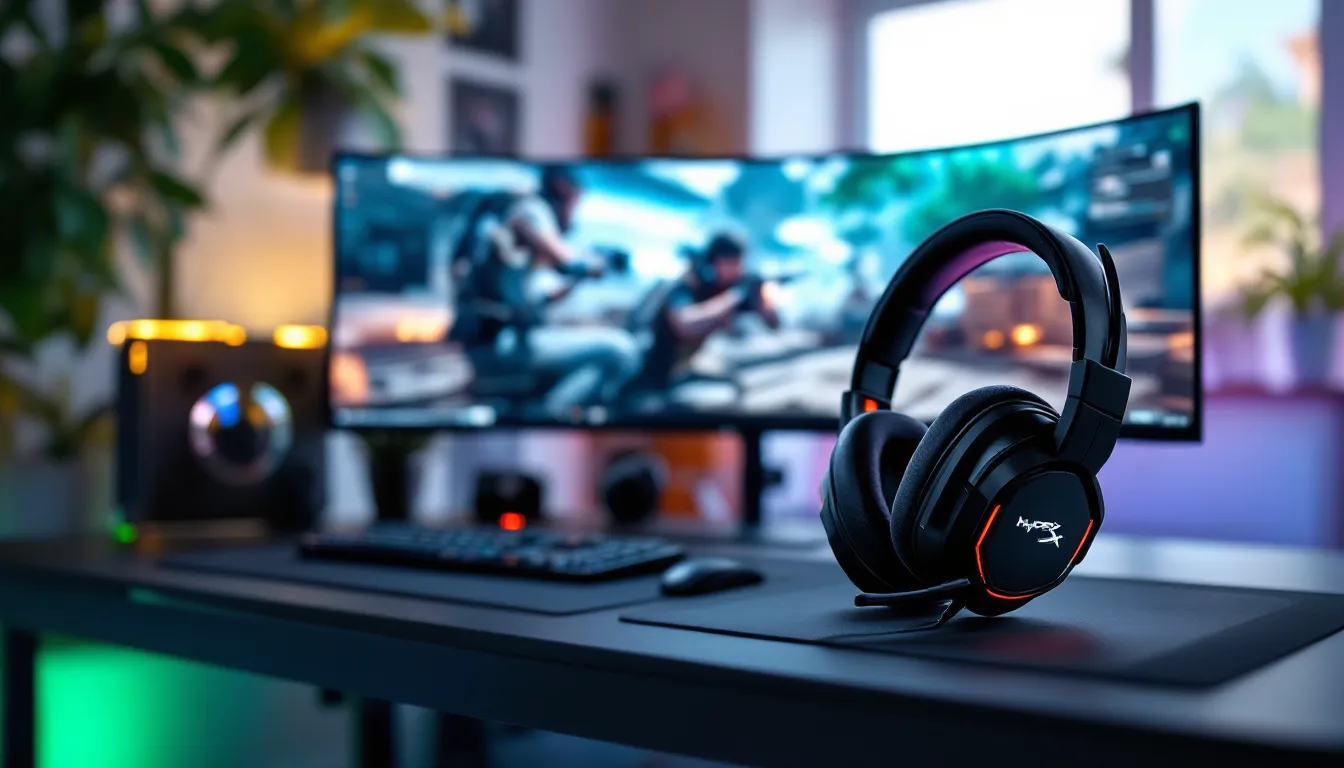
HyperX Cloud II Wireless Gaming Headset: The Ultimate Review for Serious Gamers in 2026
If you’ve been grinding ranked matches or diving into sprawling open-world RPGs, you know that audio can make or break your session. The HyperX Cloud II Wireless has been a staple in the gaming headset space since its launch, and even in 2026, it’s holding its ground against newer, flashier competition. But does it still deserve a spot on your desk, or is it time to move on?
This isn’t just another headset with RGB and hollow promises. The Cloud II Wireless built its reputation on reliable wireless performance, all-day comfort, and sound quality that doesn’t collapse under pressure. Whether you’re tracking footsteps in a tense 1v1 or coordinating plays with your squad, audio fidelity matters. And for a mid-tier price point, HyperX delivered something that punches above its weight class.
In this review, we’re breaking down everything that matters: build quality, audio performance across genres, battery life in real-world use, mic clarity for comms, and how it stacks up against the current competition. No fluff, no corporate talking points, just the honest breakdown you need to decide if this headset fits your setup.
Key Takeaways
- The HyperX Cloud II Wireless delivers exceptional 30-hour battery life and rock-solid 2.4GHz wireless connectivity with zero latency, making it ideal for long gaming sessions without audio dropouts.
- This gaming headset excels in comfort for all-day use, combining memory foam ear cups with balanced clamping force and a lightweight 320-gram design that minimizes fatigue during 4+ hour sessions.
- The HyperX Cloud II Wireless features a detachable cardioid microphone with solid clarity for team communications, plus cross-platform compatibility with PC, PS5, PS4, and Nintendo Switch (docked mode).
- Audio performance is versatile across genres with 53mm drivers tuned for gaming, though the warm, bass-forward signature and rolled-off treble make it better for action and cinematic games than neutral reference listening.
- The mid-tier wireless gaming headset lacks Xbox support, Bluetooth connectivity, and advanced software features, but its durable aluminum build, plug-and-play simplicity, and $130–$150 price point deliver exceptional value for PC and PlayStation gamers.
What Makes the HyperX Cloud II Wireless Stand Out?
The HyperX Cloud II Wireless doesn’t try to reinvent the wheel. Instead, it focuses on nailing the fundamentals that competitive and casual gamers actually care about. No latency spikes, no connectivity drops, and no ear fatigue after a six-hour session. That’s the pitch, and for the most part, it delivers.
What separates this headset from the pack is its commitment to wireless stability. While many competitors still struggle with occasional audio stutter or dropouts during intense gameplay, the Cloud II Wireless uses a dedicated 2.4GHz USB dongle that maintains a rock-solid connection. You’re not competing with Bluetooth devices or fighting interference from your router.
Another standout feature is the 53mm drivers, which are larger than what you’ll find in most gaming headsets at this price point. Bigger drivers don’t automatically mean better sound, but HyperX tuned these specifically for gaming, emphasizing directional audio cues without sacrificing music or cinematic immersion. It’s a headset that works across multiple use cases, not just FPS titles.
The detachable mic is another smart decision. When you’re done gaming and just want to listen to music or watch streams, you’re not stuck with a boom arm jutting out from your face. It’s a small quality-of-life feature that adds versatility without adding bulk.
Finally, the Cloud II Wireless has cross-platform support baked in. PC, PS5, PS4, and even Switch (in docked mode) work out of the box. Xbox support is absent, which is a bummer, but for PlayStation and PC players, this is one of the cleanest plug-and-play experiences you’ll find.
Design and Build Quality: Comfort Meets Durability
Premium Materials and Construction
The Cloud II Wireless doesn’t scream “gamer aesthetic” the way some headsets do, and that’s intentional. The design is understated, mostly black with red accents and a subtle HyperX logo on each ear cup. No RGB, no aggressive angles, just a clean, functional look that works whether you’re streaming or on a Zoom call.
The aluminum frame is the backbone of the build. It’s lightweight but sturdy, and the headband has just enough flex to handle daily wear without creaking or snapping. The yokes connecting the ear cups to the frame are reinforced, which is critical since that’s where most headsets fail after a year or two of use.
Ear cups are wrapped in memory foam with leatherette cushions. Some people prefer cloth for breathability, but the leatherette here strikes a solid balance between comfort and passive noise isolation. The padding is dense enough to block out ambient noise from a mechanical keyboard or a noisy household, which is clutch if you don’t have a dedicated gaming space.
The hinges feel robust, and the ear cups rotate slightly to match the angle of your head. It’s not a premium hinge system like you’d find on audiophile cans, but it’s more than adequate for gaming use. After months of regular use, there’s no visible wear on the hinges or headband, this thing is built to last.
Long-Session Comfort and Fit
Comfort is where the Cloud II Wireless really earns its reputation. The clamping force is just right, tight enough to stay secure during movement, but not so aggressive that you feel pressure after an hour. If you’ve ever had to take a headset off mid-raid because your temples were throbbing, you know how critical this balance is.
The memory foam ear cups are deep enough to fully enclose most ears, which is a blessing for long sessions. Even after four or five hours of continuous use, there’s minimal heat buildup. You’ll feel some warmth, especially in a hot room, but it’s nowhere near the sweatbox experience you get with cheaper headsets.
Weight distribution is another win. At around 320 grams, the Cloud II Wireless sits comfortably in the middle of the weight spectrum for wireless gaming headsets. The padding on the headband spreads that weight evenly, so there’s no hotspot on the crown of your head.
One thing to note: if you have a particularly large or small head, you might need to adjust the fit a bit. The headband extends far enough for most people, but users on the extreme ends of the size spectrum have reported mixed results. For the average gamer, though, this is one of the most comfortable wireless headsets you can buy without jumping into the $200+ bracket.
Audio Performance: Immersive Sound for Competitive Gaming
7.1 Virtual Surround Sound Breakdown
Let’s get one thing straight: virtual 7.1 surround sound is not the same as true surround sound. The Cloud II Wireless uses software processing to simulate positional audio, and like most virtual surround implementations, results are mixed depending on the game and your personal preference.
In titles with strong spatial audio design, think Valorant, Escape from Tarkov, or Call of Duty: Warzone, the 7.1 mode can help with directional awareness. Footsteps, gunfire, and environmental cues get a subtle positional boost that makes it easier to pinpoint threats. It’s not a game-changer, but it’s noticeable.
But, many competitive players, especially those who follow pro player settings for FPS titles, prefer stereo mode. Virtual surround can sometimes muddy the audio or introduce a slight hollowness that makes it harder to distinguish fine details. For fast-paced shooters where split-second reactions matter, stereo often provides cleaner, more reliable audio cues.
The good news? You can toggle 7.1 on or off with a single button press on the ear cup. Test both modes in your main games and stick with what feels more accurate. There’s no wrong answer here, it’s all about preference and the specific title you’re playing.
Sound Quality Across Gaming Genres
The 53mm drivers in the Cloud II Wireless deliver a warm, slightly bass-forward sound signature. This works beautifully for action games, horror titles, and cinematic single-player experiences. Explosions have weight, ambient soundscapes feel full, and dramatic orchestral scores hit with the right amount of punch.
For competitive FPS games, the emphasis on low-end frequencies is generally fine, but some players might find it slightly less precise than true neutral-tuned headsets. Mid-range clarity is solid, voices in cutscenes and teammate comms come through clean, but the treble is rolled off just a bit. That means high-frequency details like distant glass breaking or subtle environment sounds aren’t as crisp as they could be.
Testing across multiple genres reveals the Cloud II Wireless as a versatile all-rounder. In Elden Ring, the atmospheric audio and boss fight soundtracks are immersive. In Apex Legends, you can track enemy movement and gunfire direction with confidence. In Resident Evil Village, the environmental audio and jump scares land with satisfying impact.
Music performance is respectable for a gaming headset. The bass is prominent but not bloated, mids are warm, and highs are smooth (if a bit subdued). Audiophiles won’t mistake this for a studio reference headset, but for gaming and casual listening, it’s more than adequate. If you’re the type who listens to Spotify or YouTube between matches, you won’t be disappointed.
Wireless Connectivity and Battery Life
2.4GHz Wireless Performance and Range
The Cloud II Wireless uses a 2.4GHz USB-A dongle for connectivity, and the performance is stellar. There’s zero perceptible latency during gameplay, no audio lag during cutscenes, no delay between action and sound. For competitive gaming, this is non-negotiable, and HyperX nailed it.
Range is solid, too. You can walk into an adjacent room or down a hallway without losing connection. HyperX claims up to 20 meters of range in ideal conditions, and real-world testing backs that up. Obstacles like walls and furniture will reduce that distance, but for typical home or apartment use, you’re covered.
One minor annoyance: the dongle is USB-A only. If you’re on a newer laptop or peripheral setup that’s all USB-C, you’ll need an adapter. Not a dealbreaker, but it’s a reminder that this headset launched a few years ago, before USB-C became the universal standard.
Reconnection after powering the headset off and on is instant. No pairing dance, no waiting, just turn it on and you’re back in the game. The simplicity here is a huge selling point compared to Bluetooth headsets that require manual re-pairing or app intervention.
Battery Life: How Long Does It Really Last?
HyperX advertises up to 30 hours of battery life on a single charge, and in testing, that claim holds up surprisingly well. With 7.1 surround off and volume at around 60-70%, you can easily hit 28-30 hours of continuous use. Even with surround enabled and higher volume, you’re looking at 24-26 hours, which is still excellent.
Charging is handled via USB-C, and a full charge takes about 3 hours. A quick 15-minute charge will give you roughly 3-4 hours of playtime, which is clutch if you forgot to plug it in overnight. The charging port is located on the bottom of the left ear cup, and there’s an LED indicator that glows red while charging and turns off when full.
One of the best features is the low-latency wired mode. If your battery dies mid-session, you can plug in the included 3.5mm cable and keep playing without interruption. Audio quality remains consistent in wired mode, and there’s no weird noise floor or static. It’s a failsafe that more wireless headsets should include.
Battery degradation over time is always a concern with wireless gear, but user reports from early adopters (2021-2022 purchasers) suggest the Cloud II Wireless holds up well. Even after a year or two of regular use, most users report only a modest reduction in max battery life, nothing catastrophic.
Microphone Quality and Communication
Detachable Mic Features and Clarity
The detachable boom mic on the Cloud II Wireless is one of its strongest features. It’s a flexible, bendable arm with a cardioid pickup pattern designed to focus on your voice while rejecting background noise. The mic plugs into the bottom of the left ear cup and clicks into place securely, no wobble, no accidental disconnects.
Audio quality is clean and natural. Your voice comes through with good clarity and minimal compression, which is more than you can say for most built-in headset mics. There’s a slight roll-off in the lower frequencies, but nothing that makes you sound thin or tinny. For team comms in Valorant, Overwatch 2, or Dota 2, it’s more than adequate.
The mic has a built-in pop filter, which does a decent job of reducing plosives (those harsh “P” and “B” sounds). It’s not perfect, if you talk directly into the mic at close range, you’ll still hear some pops, but it’s better than average for a gaming headset.
One quirk: there’s no physical mute switch on the mic itself. Muting is done via a button on the ear cup, and there’s an LED indicator to show mute status. Some users prefer a flip-to-mute design, but the button works fine once you get used to it.
How It Performs in Team Voice Chat
In real-world voice chat scenarios, Discord, in-game comms, Zoom calls, the Cloud II Wireless performs admirably. Teammates consistently report clear, intelligible audio with minimal background noise. If you’re in a quiet room, the mic quality rivals entry-level standalone USB mics.
Background noise rejection is solid. A mechanical keyboard clacking away or a ceiling fan running in the background won’t completely disappear, but they’re noticeably suppressed. If you’re in a louder environment (roommates talking, TV in the background), some of that bleed will come through, but the mic prioritizes your voice.
Testing the mic with audio equipment reviewers shows frequency response that’s competitive with other gaming headsets in this price range. It’s not going to replace a dedicated streaming mic if you’re serious about content creation, but for casual streaming or standard voice comms, it punches well above its weight class.
One limitation: the mic is directional, so positioning matters. If you angle it too far from your mouth, pickup quality drops off quickly. The flexible arm makes it easy to dial in the sweet spot, but you’ll want to spend a minute adjusting it when you first set up the headset.
Software and Customization Options
HyperX’s approach to software is refreshingly minimalist. The HyperX Ngenuity app is available for Windows and offers basic customization: EQ presets, mic monitoring volume, and firmware updates. That’s it. No bloatware, no mandatory account creation, no invasive background processes.
The EQ presets are limited but functional. You get options like FPS, MOBA, and Music, each tuned to emphasize different frequency ranges. FPS mode boosts mids and highs for footstep clarity, while Music mode smooths out the response curve. You can also create a custom EQ if you want granular control, though the interface is barebones.
One major advantage: you don’t need the software running for settings to stick. Once you configure your EQ or toggle 7.1 mode, those settings are saved to the headset’s onboard memory. This is huge for players who don’t want yet another app chewing up system resources or for console players who don’t have access to the software at all.
Mic monitoring (sidetone) is adjustable through the app, but there’s no dedicated hardware control. Some users find the default level too quiet, others find it just right. It’s worth tweaking in the app to match your preference, especially if you tend to shout during intense moments.
Firmware updates are handled through Ngenuity. HyperX has pushed a handful of updates since launch, mostly stability and compatibility fixes. The update process is straightforward, download, run, wait a few minutes, but there’s no auto-update feature, so you’ll need to check manually.
The lack of advanced features might disappoint power users who want per-game profiles, RGB control (there is none), or deep audio DSP options. But for most gamers, the simplicity is a breath of fresh air. Set it once, forget about it, and focus on the game.
Cross-Platform Compatibility: PC, PlayStation, and Beyond
The Cloud II Wireless shines when it comes to multi-platform support. On PC, it’s plug-and-play via the USB dongle, no drivers, no fuss. Windows, macOS, and even Linux recognize it instantly. The Ngenuity software is Windows-only, but since settings are stored on the headset, that’s not a dealbreaker for Mac or Linux users.
On PlayStation 5 and PS4, the headset works flawlessly. Plug the dongle into any USB-A port, power on the headset, and you’re good to go. The PS5’s Tempest 3D Audio works as intended, and you can still toggle the headset’s 7.1 mode if you prefer HyperX’s processing. Mic quality and battery life are identical to PC performance.
Nintendo Switch compatibility is present but limited. In docked mode, the dongle works fine through the dock’s USB port. In handheld mode, you’ll need to use the 3.5mm cable, which means no wireless freedom and no mic (the cable is audio-only). It’s functional, but not ideal for portable play.
The elephant in the room: no Xbox support. Microsoft’s proprietary wireless protocol means the Cloud II Wireless won’t work with Xbox Series X
|
S or Xbox One without a workaround. You can use the 3.5mm cable plugged into a controller, but that defeats the purpose of buying a wireless headset. If you’re primarily an Xbox player, this isn’t the headset for you.
Mobile compatibility via 3.5mm is straightforward. The cable works with any device that has a headphone jack, though you’ll miss out on the mic unless you use a TRRS cable (which isn’t included). For mobile gaming or listening on the go, wired mode is serviceable but unremarkable.
HyperX Cloud II Wireless vs. the Competition
In the crowded mid-tier wireless gaming headset market, the Cloud II Wireless faces stiff competition from headsets like the SteelSeries Arctis 7+, Logitech G Pro X Wireless, and Razer Barracuda X. Each has strengths and weaknesses, but the Cloud II holds its own.
The SteelSeries Arctis 7+ offers similar battery life and sound quality but with a more modern design and better software (SteelSeries GG is more feature-rich than Ngenuity). But, the Arctis 7+ is typically priced $20-$30 higher, and the ski-goggle headband design isn’t universally loved. The Cloud II wins on value and traditional comfort.
The Logitech G Pro X Wireless is aimed squarely at competitive players, with Blue VO.CE mic technology and a more neutral sound profile. It’s a strong contender if you prioritize mic quality and precise audio, but it’s also more expensive and the battery life (around 20 hours) lags behind the Cloud II. Comfort is comparable, though some users find the G Pro X ear cups a bit shallow.
The Razer Barracuda X is the budget darling, often priced $30-$40 less than the Cloud II. It’s lighter, supports Bluetooth alongside 2.4GHz wireless, and works across more platforms (including Xbox via USB-C dongle). But, build quality is noticeably cheaper, and the sound profile is less refined. If budget is your top concern, the Barracuda X is tempting, but the Cloud II feels more premium.
Compared to professional-grade peripherals reviewed for esports, the Cloud II Wireless doesn’t break new ground, but it’s a reliable workhorse. It won’t give you an unfair advantage, but it won’t hold you back either. For the price (typically around $130-$150 in 2026), it’s one of the most well-rounded wireless headsets available.
Who Should Buy the HyperX Cloud II Wireless?
The Cloud II Wireless is an excellent fit for PC and PlayStation gamers who want a reliable, comfortable wireless headset without spending $200+. If you play a mix of competitive shooters, single-player adventures, and the occasional horror game, this headset will serve you well across all those genres.
It’s also a strong pick for players who value long-term comfort. If you’re someone who regularly puts in 4+ hour sessions, the Cloud II’s combination of light weight, generous padding, and balanced clamping force makes it one of the most fatigue-free options in its class.
Casual streamers and content creators who need a decent mic but aren’t ready to invest in a standalone setup will appreciate the detachable boom mic. It’s good enough for Discord, Twitch streams with moderate production quality, and Zoom calls. You won’t win any audio awards, but you also won’t sound like you’re recording in a tin can.
But, this headset isn’t ideal for Xbox players unless you’re willing to accept a wired connection. If Xbox is your primary platform, look elsewhere. The same goes for audiophiles who want a neutral, reference-quality sound signature, the Cloud II is tuned for gaming, with a warm, slightly bass-heavy profile that won’t satisfy purists.
Finally, if you need Bluetooth connectivity for switching between gaming and mobile devices, the Cloud II Wireless doesn’t offer that. It’s 2.4GHz wireless or 3.5mm wired, nothing in between. For multi-device flexibility, consider a hybrid headset like the Razer Barracuda Pro.
Pros and Cons: The Complete Breakdown
Pros:
- Exceptional battery life – 30 hours of wireless playtime rivals or beats most competitors
- Rock-solid 2.4GHz wireless – Zero latency, no dropouts, wide range
- All-day comfort – Memory foam ear cups and balanced clamping force for long sessions
- Detachable mic with solid clarity – Great for comms, easy to remove when not needed
- Cross-platform support – Works seamlessly on PC, PS5, PS4, and Switch (docked)
- Durable build quality – Aluminum frame and reinforced hinges built to last
- Plug-and-play simplicity – Minimal software dependency, settings stored on-board
- Wired fallback mode – 3.5mm cable lets you keep playing if battery dies
Cons:
- No Xbox wireless support – Dealbreaker if Xbox is your main platform
- USB-A dongle only – Requires adapter for USB-C-only devices
- Limited software features – Ngenuity is barebones compared to competitors
- Virtual 7.1 surround is hit-or-miss – Preference varies by game and player
- Slightly rolled-off treble – High-end detail isn’t as crisp as neutral-tuned headsets
- No Bluetooth connectivity – Strictly 2.4GHz wireless or wired, no multi-device pairing
- Mic positioning matters – Directional pickup requires careful adjustment
- Leatherette ear cups can get warm – Not as breathable as cloth alternatives in hot environments
Conclusion
The HyperX Cloud II Wireless remains a standout choice in the mid-tier wireless gaming headset market in 2026. It doesn’t chase trends or gimmicks, instead, it nails the fundamentals that matter most: reliable wireless connectivity, all-day comfort, and versatile sound quality that works across genres. The 30-hour battery life and durable build ensure this headset will keep up with your gaming schedule for years, not months.
For PC and PlayStation gamers, it’s one of the best-value wireless headsets you can buy. The detachable mic is good enough for comms and casual streaming, the audio performance is immersive without being overly colored, and the plug-and-play simplicity means you spend less time tinkering and more time playing.
That said, Xbox players should look elsewhere, and anyone chasing the absolute cutting edge of audio fidelity or feature-packed software will find better options at higher price points. But for the vast majority of gamers who want a wireless headset that just works, and works well, the Cloud II Wireless delivers.