
The Best Fluffy Pancakes recipe you will fall in love with. Full of tips and tricks to help you make the best pancakes.
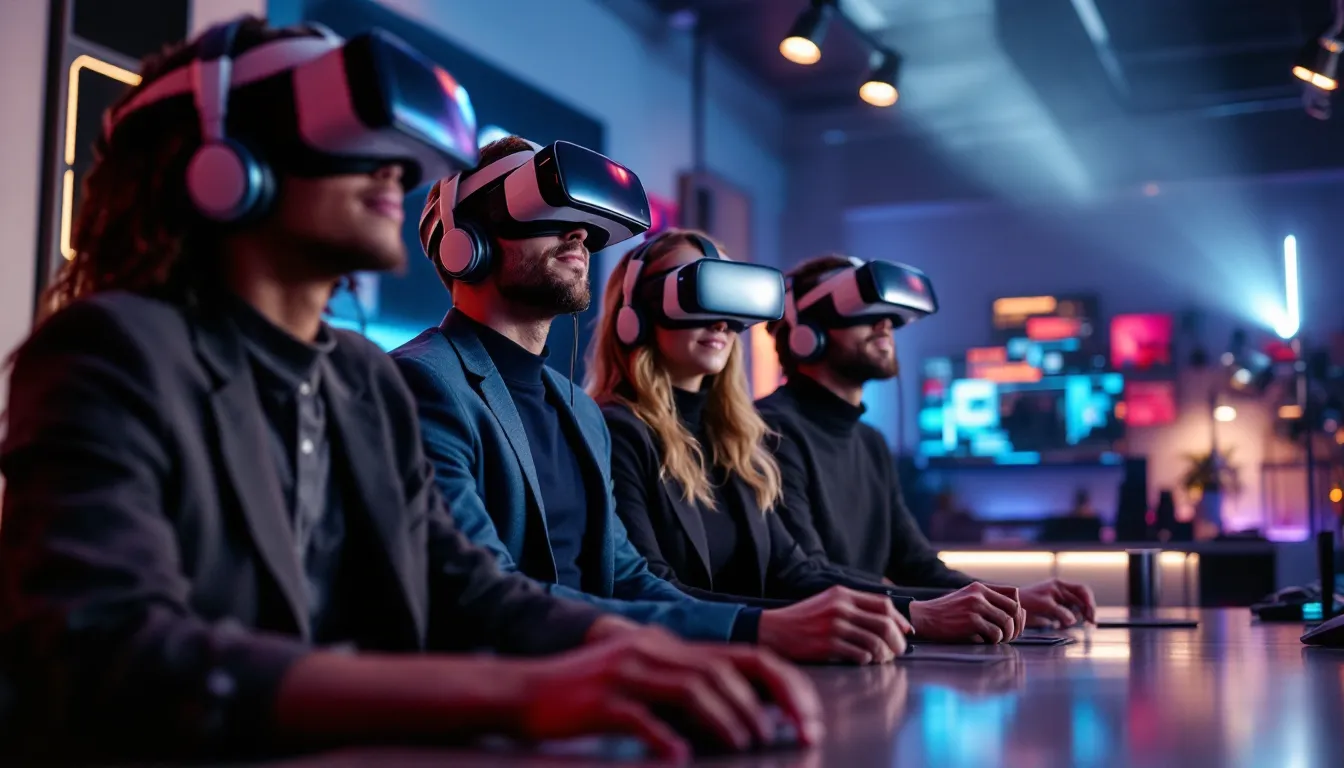
The Ultimate Guide to VRChat Horror Games: Terrifying Experiences in Virtual Reality (2026)
VRChat’s horror worlds have evolved from simple jump-scare rooms into sophisticated psychological nightmares that exploit VR’s most unsettling feature: presence. When something terrifying happens in VRChat, your brain doesn’t process it as a flat screen image. It processes it as something actually happening to you, in your space, with real people screaming in your headset. That primal disconnect between what you know is safe and what your body feels is exactly what makes VRChat horror some of the most genuinely unsettling content in gaming right now.
The platform’s user-generated nature means horror worlds are constantly being refined, remixed, and reimagined. A map that was merely creepy six months ago might now feature full voice acting, dynamic lighting systems, and multiplayer puzzles that force you to split up, always a terrible idea, but you’ll do it anyway. Whether you’re a VR veteran looking for the next nightmare or a curious newcomer wondering what all the screaming is about, this guide covers everything you need to jump into VRChat’s horror scene in 2026.
Key Takeaways
- VRChat horror games exploit VR’s sense of presence to create genuinely unsettling experiences that flat-screen horror cannot match, as your brain processes terrifying events as actually happening in your physical space.
- The platform’s user-generated content constantly evolves with new horror worlds released weekly, offering everything from jump-scare experiences to psychological horror that plays with spatial awareness.
- Essential hardware like the Meta Quest 3, Valve Index, and proper headphones with spatial audio dramatically improve VRChat horror immersion compared to standard setups.
- Co-op horror worlds like Outbreak Protocol and The Ritual require team coordination and communication while exploring unsettling environments, making group dynamics crucial to the experience.
- Creating VRChat horror worlds is accessible with Unity, the VRChat SDK3, and audio design tools, allowing creators to build nightmare scenarios through lighting, sound layering, and pacing mechanics.
- Safety planning including clearing your play space, understanding comfort settings, and communicating boundaries with other players ensures VRChat horror remains enjoyable rather than overwhelming.
What Makes VRChat Horror Games So Terrifying?
VRChat horror hits different than traditional horror games, and it’s not just the VR headset doing the heavy lifting. The platform combines several elements that create a uniquely unsettling experience you can’t replicate in flat-screen gaming.
Immersive Social Horror Experiences
Playing horror in VRChat means sharing the experience with real people, and that changes everything. When someone next to you genuinely panics, their fear becomes contagious. You’ll hear their breathing quicken, their voice crack, their avatar physically recoil.
This social presence amplifies tension in ways single-player games can’t match. A friend might suddenly go silent in voice chat, and you don’t know if they muted, got jump-scared, or something worse. Group dynamics emerge naturally, someone always becomes the reluctant leader, someone else refuses to enter the dark hallway, and inevitably one person gets left behind.
The unpredictability of human reactions keeps experiences fresh. Unlike scripted AI companions, real players make irrational decisions, crack jokes to defuse tension, or completely lose it at the worst possible moment. Some of the most memorable horror moments come from player interactions rather than the map itself.
User-Generated Content and Endless Variety
VRChat’s horror library dwarfs what any single studio could produce. Creators drop new worlds weekly, ranging from fifteen-minute experiences to multi-hour adventures with branching paths. This constant influx means the meta shifts regularly, what’s considered the “scariest world” changes every few months.
User-generated content also means extreme creative diversity. You’ll find everything from photorealistic haunted asylums to abstract psychological horror that plays with VR’s spatial awareness. Some worlds lean heavily on jump scares and monster chases, while others build dread through environmental storytelling and subtle wrongness.
The community-driven nature creates iterative improvement too. Popular horror concepts get remixed and refined by different creators, each adding their own twist. A successful haunted house mechanic will spawn dozens of variations, each trying to perfect the scare. Many experienced VR horror enthusiasts have noted this creative arms race pushes VRChat horror forward faster than traditional game development cycles.
Best VRChat Horror Worlds to Explore in 2026
The horror world landscape constantly evolves, but these worlds have maintained their terrifying reputation or emerged as new favorites in early 2026. World availability and content can change, so always check current versions.
Classic Horror Staples
These worlds have earned their place through consistent scares and solid design:
The Dreadful Descent – A multi-floor descent through an abandoned research facility that introduces mechanics gradually. Perfect for VR horror newcomers since it gates the intensity, giving players time to adjust. The final floors still terrorize veterans.
Midnight Subway – Captures urban horror atmosphere brilliantly. The sound design alone, distant train rattles, flickering fluorescent lights, water dripping from unseen pipes, builds tension before anything overtly scary happens. Works especially well with 4-6 players.
Sanitarium 2026 – The recent update overhauled the asylum setting with improved lighting and chase sequences that actually track player positions intelligently. The AI entities don’t just patrol routes anymore: they hunt.
Crimson Manor – Classic haunted house execution with Victorian aesthetics. Multiple pathways mean repeat visits reveal new rooms. The séance room sequence remains one of VRChat’s most elaborate set pieces.
Psychological Horror Experiences
These worlds prioritize atmosphere and existential dread over jump scares:
Recursion – Plays with VR spatial awareness by looping impossible spaces. You’ll walk through the same hallway five times, each slightly wrong. No monsters, just wrongness. It’s disorienting in ways that only work in VR.
The Observer – You explore an abandoned apartment building while something watches from windows, mirrors, and dark corners. It never attacks, just observes. The lack of threat makes it worse somehow.
Void Rooms – Abstract horror inspired by liminal space aesthetics. Empty hotels, endless office spaces, and retail backrooms that shouldn’t exist. The isolation hits harder when you’re actually in VR, surrounded by nothing.
Memory Palace – Explores personal horror through fragmented memories and impossible childhood homes. Heavy on environmental storytelling, light on action. Brings a different kind of discomfort.
Multiplayer Co-op Horror Maps
These worlds require or strongly benefit from group coordination:
Outbreak Protocol (4-8 players) – Escape room mechanics mixed with monster avoidance. Players must split up to solve simultaneous puzzles while entities stalk the facility. Communication and timing are essential.
The Ritual (3-6 players) – Assigns roles (Priest, Medium, Guardian, Skeptic) with unique abilities needed to complete objectives. Role-based gameplay adds replayability since each position experiences different scares.
Blackwood Forest (2-8 players) – Open-world horror exploration where players search for ritual items while something hunts the woods. The open environment creates genuine navigation challenges, getting lost in the dark woods while separated from your group delivers authentic fear.
Dead Signal (4-6 players) – Found-footage inspired horror where the group investigates paranormal activity with VR equipment. Uses proximity voice chat so players can only hear nearby teammates, forcing risky reunions.
How to Find and Join VRChat Horror Worlds
VRChat’s interface takes some getting used to, but finding horror content is straightforward once you know where to look.
The Worlds Menu (accessible from the main menu) includes category filters. Select “Horror” under genres to browse curated horror worlds. Sort by “Updated” to find recently refreshed content, or “Popular” to see what’s trending. Heat ranking shows current player activity, useful for finding populated horror experiences.
Community Labs features new and updated worlds before they reach the main listings. Many creators drop horror worlds here first for testing. Content in Labs requires opting in through settings, but it’s where you’ll find cutting-edge experiences.
Friend Activity proves invaluable for discovery. When friends visit worlds, those appear in your social feed. Join them directly or bookmark interesting worlds for later. Following experienced VR horror players leads to better curation than algorithmic recommendations.
Search by creator name if you’ve found a developer whose horror style resonates. Many creators specialize in horror and maintain consistent quality across their portfolio. Check world descriptions for creator social links, some announce new releases on Discord or Twitter first.
Public instances vs. private instances matter for horror. Public instances might have random players breaking immersion or rushing through content. Friends+ or Invite-only instances let you control the experience. For first playthroughs, controlled groups of 3-5 create the best atmosphere.
Group instances through VRChat Groups (added in 2024) let horror communities organize events and dedicated runs. Search for horror-focused Groups to find organized sessions with players who respect the experience.
Bookmark liberally, the Favorites system lets you organize worlds into lists. Create a “Horror Queue” list for worlds you want to try and “Best Scares” for recommendations.
Optimizing Your VRChat Experience for Horror Games
Hardware and settings dramatically impact how effective VRChat horror feels. Optimization isn’t just about performance, it’s about maintaining immersion when things get intense.
Essential VR Hardware Recommendations
Headset choice affects horror immersion significantly. The Meta Quest 3 (standalone or PCVR) offers solid standalone performance for most horror worlds, though PCVR connection via Link or Air Link unlocks better graphics for detailed environments. The improved passthrough creates additional mixed-reality horror possibilities some worlds exploit.
Valve Index remains the enthusiast choice for horror thanks to superior audio, comfort during extended sessions, and finger tracking that adds to social presence. The off-ear speakers deliver spatial audio without isolation, which some players prefer for safety but others find less immersive.
PSVR2 support arrived in late 2024 but remains limited compared to PC platforms. Fewer worlds optimize for PS5 hardware, and the horror library is smaller. Worth noting if you’re platform-locked, but PC offers more content.
Headphones matter immensely. If your headset doesn’t have integrated audio or you want better immersion, closed-back headphones with strong bass response and accurate spatial audio transform the experience. Horror worlds rely heavily on 3D positional audio, footsteps behind you, whispers from the left, distant screams echoing through halls. Many PC horror gamers recommend dedicated gaming headsets with virtual surround for maximum effect.
Haptic accessories like SubPac or bHaptics vests add physical feedback some players swear by. Feeling bass rumble through your chest when something roars or getting tapped feedback when touched adds another layer. Optional, but effective for those chasing maximum immersion.
Play space size changes how you experience VRChat horror. Room-scale VR with at least 6.5 x 6.5 feet lets you physically walk and duck naturally, which feels significantly more present than teleporting. If you’re space-constrained, continuous locomotion is essential, practice until movement feels natural.
Audio Settings for Maximum Immersion
VRChat’s audio settings directly impact horror effectiveness:
Enable spatial audio in Safety & Audio settings. This uses HRTF (Head-Related Transfer Function) for accurate 3D positioning. The difference between spatial audio on and off in horror worlds is dramatic, direction and distance cues become clear.
Voice chat positioning should be set to Spatial rather than Stereo. This makes other players’ voices come from their avatar positions, crucial for situations where you’re separated and calling to each other in the dark.
Adjust the audio occlusion slider (found in Audio settings). Higher values make sounds more muffled through walls and obstacles, adding realism. Horror worlds with good sound design use this to make distant sounds appropriately faint.
Avatar audio gain controls how loud other players’ avatars sound. Keep this balanced, too quiet and you miss important communication, too loud and screaming players will blow out your ears (which will happen).
Master volume sweet spot sits around 70-80% for most people. Horror worlds often feature loud stingers and sudden audio spikes. Keep volume high enough for immersion but low enough that jump scares won’t cause hearing damage.
Microphone setup matters too. Push-to-talk versus always-on affects group dynamics. Always-on creates more natural communication and organic fear reactions, but push-to-talk prevents background noise. Most horror groups prefer always-on for immersion.
Creating Your Own VRChat Horror World
Building VRChat horror worlds requires specific tools and understanding of what makes VR horror effective. The barrier to entry is lower than you might expect.
Required Tools and Software
Unity (version 2022.3.6f1 as of March 2026) is the foundation. VRChat requires specific Unity versions, always check the official VRChat documentation for the current supported version before starting. Mismatched versions cause upload failures.
VRChat SDK3 (Worlds) is the essential plugin that lets Unity projects become VRChat worlds. Download directly from VRChat’s website. The SDK includes example worlds, prefabs, and scripts that handle VRChat-specific functionality.
3D modeling software depends on your workflow:
- Blender (free) handles modeling, texturing, and animation. Large community means abundant tutorials.
- Maya or 3DS Max if you’re industry-trained, though they’re expensive without educational licenses.
- Asset store purchases work fine for prototyping. Unity Asset Store and other marketplaces offer horror-themed assets.
Audio tools for sound design matter tremendously in horror:
- Audacity (free) for basic editing and effects
- FMOD or Wwise for advanced 3D audio, though VRChat’s spatial audio handles most needs
- Freesound.org and similar sites provide Creative Commons sound effects
Udon or UdonSharp enables world programming. Udon is VRChat’s visual scripting system (node-based), while UdonSharp lets you write in C#-like syntax. Horror worlds need Udon for:
- Trigger zones that activate scares
- Enemy AI pathfinding and chase behaviors
- Event sequencing (lights flicker, then door slams, then laugh plays)
- Multiplayer synchronization so all players experience events together
TextMesh Pro (included in Unity) for any in-world text, notes, or UI elements. Environmental storytelling through notes and documents is common in horror worlds.
Post-processing stack and lighting tools are critical for atmosphere. Real-time lighting with baked occlusion creates shadows and darkness that feel believable. Horror worlds rely heavily on lighting as a primary scare tool.
Design Tips for Effective Horror Atmospheres
Building effective VR horror requires understanding what works in the medium:
Lighting is your primary tool. Too dark and players can’t see anything (frustrating, not scary). Too bright and nothing’s scary. The sweet spot uses contrast, lit safe zones and shadowy threat zones. Flickering lights signal danger. Lights going out entirely forces players into vulnerability.
Scale matters differently in VR. Hallways that feel narrow on a monitor might feel fine in VR. Test scale constantly, doorways should feel slightly too small, ceilings slightly too low. Oppressive architecture works. Impossible geometry (rooms bigger inside than outside) exploits VR’s spatial confusion.
Audio layering creates atmosphere: Ambient loops (wind, distant machinery, old building creaks) establish baseline unease. Positional audio adds specific threats (footsteps, breathing). Silence can be as effective as sound, cutting ambient noise signals something’s wrong.
Pacing prevents fatigue. Non-stop scares cause desensitization. Alternate between tension-building exploration and intense scare moments. Safe rooms let players catch their breath while building anticipation for what’s next. Many technical guides for VR design emphasize pacing as crucial for horror effectiveness.
Performance optimization keeps immersion. Frame drops kill VR presence and cause motion sickness. Keep draw calls low, use occlusion culling, optimize textures. Horror worlds need to run smoothly on Quest 2/3 hardware if you want the largest audience.
Multiplayer considerations add complexity but also opportunity. Design puzzles requiring separation. Create moments where one player sees something others don’t. Use Udon to synchronize scare events so everyone experiences them together, nothing’s worse than one person getting jump-scared while others see nothing.
Playtesting reveals everything. What feels scary to you might not land for others. Watch playthroughs (VRChat has built-in recording permissions). Note where players get stuck, where scares succeed, and where pacing drags. Iterate based on actual reactions.
Environmental storytelling works better than exposition. Notes, environmental clues, and visual details let players piece together what happened. VR players want to explore and discover, not read long text dumps.
Safety Tips and Managing Horror Intensity
VR horror is significantly more intense than flat-screen horror, and managing that intensity matters for both enjoyment and safety.
Physical safety comes first. Clear your play space of obstacles, furniture edges, and anything breakable. VRChat horror regularly makes players stumble backward, crouch suddenly, or swing arms defensively. Use chaperone bounds and consider a play mat to maintain spatial awareness.
Motion sickness management starts with comfort settings. Enable comfort vignette (tunnel vision during movement) if smooth locomotion causes nausea. Many horror worlds support teleport locomotion as an alternative, though it reduces immersion. If you’re prone to motion sickness, take breaks every 20-30 minutes.
Intensity calibration means starting with less intense worlds. Don’t jump straight into extreme content if you’re new to VR horror. Classic staples provide good introductions before psychological or extreme horror. Build tolerance gradually.
Safety settings control social interactions. VRChat’s Safety system lets you:
- Block users who break immersion or harass
- Hide avatars that cause performance issues or discomfort
- Mute players (individually or by trust rank)
- Set personal space bubbles preventing others from getting too close
Trust rank awareness matters in public instances. Higher trust ranks (User, Known User, Trusted User) generally indicate established community members. If you’re uncomfortable, stick to Friends+ instances with vetted players.
Exit strategies should be planned. Know how to quickly access the menu (usually main menu button), mute everyone, or respawn. Some worlds include safe rooms or exit portals. Don’t feel pressured to continue if the experience becomes overwhelming.
Time limits prevent overexposure. Extended VR sessions in high-stress environments cause fatigue. Cap horror sessions at 60-90 minutes with breaks. Eye strain, mental fatigue, and reduced situational awareness (in real life) are real concerns.
Age-appropriate content matters. VRChat is rated 13+, but horror content ranges from mild to extremely intense. Check world descriptions and community feedback before recommending worlds to younger players.
Triggers and phobias should be considered. VRChat horror covers everything, spiders, drowning, tight spaces, needles, body horror. Many creators tag content warnings in world descriptions, but coverage is inconsistent. Ask friends or community groups about specific triggers if you have known phobias.
Play with trusted people when possible. Having friends who’ll respect boundaries if you need to tap out makes the experience better. Communicate comfort levels before starting, not everyone wants maximum intensity.
Desktop mode exists if you want to preview worlds without full VR immersion. You’ll miss most of the impact, but it’s useful for content screening or deciding if a world’s your speed.
The Social Aspect: Playing VRChat Horror with Friends vs. Strangers
The social dynamics of VRChat horror shift dramatically based on who you’re playing with, and both approaches offer distinct experiences.
Friends groups provide controlled experiences with known variables. You understand each other’s boundaries, communication styles, and humor. This familiarity creates shared references and inside jokes that emerge from horror sessions, the friend who always gets jump-scared first, the one who refuses to enter dark rooms, the reluctant hero.
Friend groups also coordinate better on co-op horror worlds requiring puzzle-solving or role assignments. Trust enables the risk-taking these worlds demand, splitting up, investigating alone, or taking point. You know they won’t abandon you, even when every instinct says run.
The downside is predictability. Friends might crack jokes that break tension or discuss the meta rather than staying in the moment. Repeat playthroughs together can feel too comfortable for genuine scares.
Strangers introduce unpredictability that amplifies horror. You don’t know how they’ll react, whether they’ll help or panic, if they’ll communicate or go silent. That uncertainty mirrors real horror scenarios, you’re genuinely unsure if you can count on the person next to you.
Public instances create emergent social dynamics. Natural leaders emerge, conflicts arise over strategy, and social friction adds human tension alongside the designed scares. Some of the most memorable moments come from strangers’ authentic reactions, unfiltered fear, unexpected humor, or surprising bravery.
Stranger groups also resist meta-gaming. No one’s played together before, so there’s less strategic optimization and more genuine exploration. First-time experiences with strangers often feel more authentic.
The risks include immersion-breaking behavior. Some players deliberately troll horror worlds, spoil scares, or don’t take the experience seriously. Others might have open mics with background noise, play music through avatars, or use joke avatars that destroy atmosphere. Safety settings help, but can’t eliminate all disruption.
Hybrid approaches work well, bring 2-3 friends and fill remaining slots with strangers. This balances reliable communication with fresh unpredictability. Your friend group provides stability while strangers add chaos.
Role-playing commitment varies by social context. Some groups fully commit to in-character reactions and avoid meta discussion. Others prefer a relaxed approach where everyone laughs together at scares. Neither is wrong, but alignment matters, mismatched expectations create friction.
Group size impacts social dynamics significantly:
- 2-3 players: Intimate and intense. Nowhere to hide in the group, everyone’s essential.
- 4-6 players: Sweet spot for most horror worlds. Enough for roles and separation without chaos.
- 7+ players: Often too crowded. Harder to maintain atmosphere, communication gets messy, and some players inevitably lag behind or rush ahead.
Communication style should be discussed beforehand. Always-on voice chat creates organic reactions but can get chaotic with large groups. Push-to-talk enables more controlled communication but reduces spontaneous interactions. Most horror groups prefer always-on for immersion even though the chaos.
Post-experience debrief is half the fun regardless of who you played with. Dissecting what scared you, comparing reactions, and sharing perspectives on the experience extends enjoyment beyond the world itself. Friends and strangers both benefit from talking through what just happened, it’s cathartic and often hilarious in retrospect.
Conclusion
VRChat horror represents a unique intersection of user-generated creativity, social dynamics, and VR’s unmatched sense of presence. The platform’s constantly evolving content library ensures fresh nightmares, while the social element creates unpredictable moments no scripted game can match. Whether you’re exploring classic haunted houses, diving into psychological experiments, or coordinating with friends through multiplayer horror challenges, the experience fundamentally differs from traditional horror gaming.
The technical considerations, proper hardware setup, optimized audio, and safety awareness, transform VRChat horror from interesting to genuinely immersive. And for creators, the tools and community support make building your own nightmare more accessible than ever. The horror community within VRChat continues pushing boundaries, experimenting with new mechanics, and refining what makes VR horror effective.
Start with worlds matching your comfort level, find a group that matches your playstyle, and remember that it’s okay to tap out when intensity peaks. VRChat horror’s strength is variety, there’s something for everyone from mild spooks to extreme experiences that’ll have you questioning your decisions. Just clear your play space first.