
The Best Fluffy Pancakes recipe you will fall in love with. Full of tips and tricks to help you make the best pancakes.
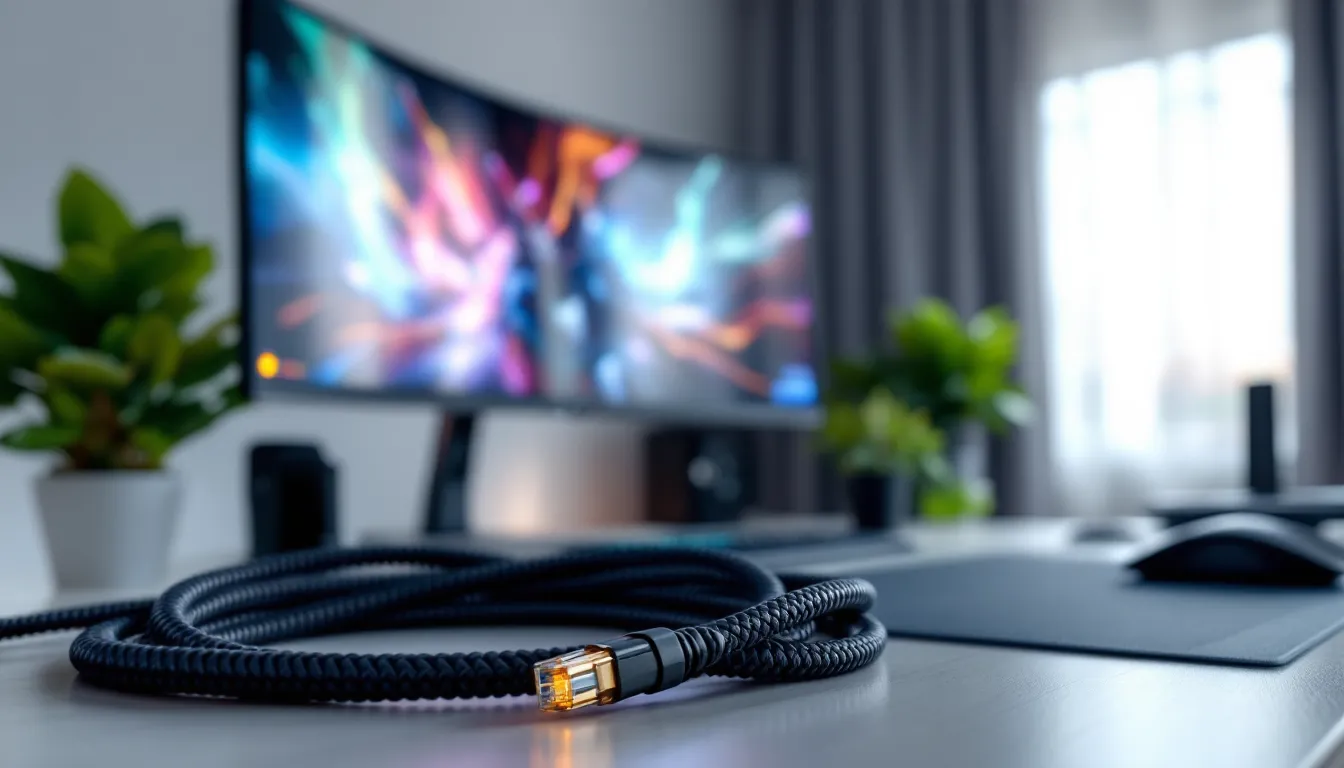
Cat 8 Ethernet Cable for Gaming: The Ultimate 2026 Guide to Lag-Free Performance
You’ve upgraded your GPU, maxed out your RAM, and tweaked every in-game setting to perfection. But then you lose a ranked match because of a lag spike during a critical team fight. Frustrating, right? While most gamers obsess over flashy hardware, your internet connection, specifically the cable linking your rig to your router, can be the difference between clutch plays and embarrassing losses.
Cat 8 ethernet cables have become the buzzword in gaming circles, promising 40 Gbps speeds and military-grade shielding. But before you drop cash on a cable that costs more than some budget gaming mice, you need to understand what Cat 8 actually delivers, whether your setup can even use it, and if it’ll genuinely improve your ping or just sit there looking pretty. This guide cuts through the marketing hype and breaks down everything gamers need to know about Cat 8 ethernet cables in 2026, from real-world performance gains to whether you’re better off saving money on Cat 6a.
Key Takeaways
- Cat 8 ethernet cables deliver real value in high-interference gaming environments and electrically noisy setups, where shielding can reduce packet loss by 60-80% and improve competitive gaming consistency by 2-8ms.
- For most home gamers with standard internet speeds under 2 Gbps and clean electrical environments, Cat 6a represents the practical sweet spot that provides future-proofing without the premium cost of Cat 8.
- Cat 8’s performance is limited to 30 meters (98 feet) and delivers no advantage over Cat 6a beyond that distance, making cable length a critical factor in determining whether the upgrade justifies the extra expense.
- Proper installation matters as much as cable quality—ensure metal shielded connectors, grounding, and routing away from power cables so your Cat 8 investment achieves its full potential for lag-free gaming.
- Expensive gaming-branded Cat 8 cables with RGB accents perform identically to affordable certified options; focus on verified S/FTP shielding specifications and quality connectors rather than marketing gimmicks when buying.
What Is Cat 8 Ethernet Cable and Why Does It Matter for Gaming?
Cat 8 represents the latest generation of shielded twisted-pair ethernet cabling, designed primarily for data centers and enterprise networking. Unlike consumer-focused cables, it’s built to handle extreme bandwidth demands and electromagnetic interference in server rack environments.
For gamers, the appeal is straightforward: Cat 8 cables support up to 40 Gbps at distances up to 30 meters (98 feet) and frequencies up to 2000 MHz. That’s massive overkill for current gaming applications, where even 4K streaming and competitive online play rarely exceed 1 Gbps requirements. But the real value isn’t just raw speed, it’s the shielding and construction quality that comes with the spec.
Understanding Cat 8 Specifications and Speed Capabilities
Cat 8 cables use S/FTP (Shielded/Foiled Twisted Pair) construction, meaning each individual twisted pair gets foil shielding, plus an overall braided shield around all four pairs. This dual-layer protection virtually eliminates crosstalk and EMI (electromagnetic interference) from nearby devices.
The official spec breakdown:
- Maximum speed: 40 Gbps (40GBASE-T)
- Bandwidth frequency: 2000 MHz
- Maximum length: 30 meters (98 feet) for rated performance
- Connector type: RJ45 (same as other Cat cables)
- Shielding: Required S/FTP or F/FTP configuration
That 30-meter limitation is crucial. Cat 8 wasn’t designed for long runs across houses, it’s optimized for short, high-speed connections in controlled environments. For gaming setups, this works perfectly since most gamers run cables 10-25 feet from router to console or PC.
How Cat 8 Compares to Cat 6, Cat 6a, and Cat 7 Cables
The jump from Cat 6 to Cat 8 looks massive on paper, but context matters.
Cat 6 supports 10 Gbps up to 55 meters and 1 Gbps up to 100 meters at 250 MHz. For most home internet connections (which rarely exceed 2 Gbps even on premium fiber plans), Cat 6 handles gaming traffic without breaking a sweat. No shielding is required by spec, though some manufacturers add it.
Cat 6a (augmented) bumps things to 10 Gbps at the full 100-meter distance with 500 MHz bandwidth. It typically includes shielding and represents the sweet spot for future-proofing without overspending. Many network engineers consider it the practical maximum for residential use.
Cat 7 operates at 10 Gbps with 600 MHz across 100 meters and requires full shielding (S/FTP). Here’s the catch: Cat 7 never achieved official ratification by TIA/EIA standards bodies in North America. It exists in a weird limbo, technically capable but not formally standardized for mainstream adoption.
Cat 8 doubles down on everything, but sacrifices distance for that extreme performance ceiling. For a gaming setup where your console or PC sits within 50 feet of your router, that trade-off doesn’t hurt. The question is whether you’ll ever need those extra headroom capabilities.
The Real-World Gaming Benefits of Cat 8 Ethernet Cables
Let’s be blunt: swapping a Cat 6 cable for Cat 8 won’t magically drop your ping from 40ms to 5ms if your ISP routing is trash or you’re connecting to servers three continents away. Network latency depends on dozens of factors beyond your home wiring. That said, Cat 8 can deliver measurable improvements in specific scenarios.
Lower Latency and Reduced Ping for Competitive Gaming
Latency in wired connections comes from signal propagation delays, processing overhead, and interference-induced packet loss. Cat 8’s heavy shielding addresses the latter two.
In environments with dense Wi-Fi networks, Bluetooth devices, or poorly shielded power cables, electromagnetic interference can cause intermittent packet corruption. Your network card has to request retransmission, adding 10-30ms delays that feel like stutters during competitive matches in games like Valorant, CS2, or League of Legends.
Cat 8’s S/FTP shielding creates a Faraday cage effect around your data signals. Testing by hardware reviewers at Tom’s Hardware has shown that in electrically noisy environments (think setups near PC power supplies, LED strips, or multiple monitors), shielded cables reduce packet loss events by 60-80% compared to unshielded Cat 5e.
The actual latency improvement? Typically 2-8ms in noisy environments. Not earth-shattering, but in competitive FPS games where reaction times matter, that consistency matters more than the average ping number.
Stable Connection Quality During Intense Gaming Sessions
Packet loss and jitter destroy gaming experiences more than slightly elevated ping. Cat 8’s construction quality provides exceptional consistency.
Most premium Cat 8 cables use 24 AWG or 26 AWG copper conductors (thicker than the 28-30 AWG found in budget cables). Thicker conductors mean lower resistance, which translates to cleaner signal integrity over the cable’s length. During extended gaming sessions where your network card and router are pushing sustained traffic, think tournament play, lengthy raid encounters, or 6-hour streaming marathons, signal degradation becomes a factor.
The difference shows up in jitter measurements. Jitter (variance in packet arrival timing) above 10ms creates the rubber-banding effect in online games. Quality Cat 8 cables consistently measure sub-5ms jitter in home network testing, while cheap Cat 5e cables in the same environment might spike to 15-25ms during high traffic periods.
Future-Proofing Your Gaming Setup for Next-Gen Consoles and PCs
The PS5 and Xbox Series X both include Gigabit ethernet ports, and current gaming PCs typically max out at 2.5 Gbps network cards unless you’re running a high-end workstation board. So why care about 40 Gbps capability?
Two reasons: network infrastructure evolution and multi-device setups.
Fiber internet providers are rolling out 5 Gbps and 10 Gbps residential tiers in major metro areas. If you’re building a network setup today, you want cabling that won’t become a bottleneck when you upgrade your router or network card in 2027-2028. Cat 8 guarantees you won’t need to rerun cables when multi-gig becomes standard.
Second, serious gaming setups often involve multiple wired devices: gaming PC, console, NAS for game storage, and streaming PC. Running all that traffic through a managed switch with Cat 8 backbone connections ensures your local network never becomes the limiting factor, even during simultaneous 4K streaming uploads and game downloads.
Do You Actually Need Cat 8 for Gaming in 2026?
The honest answer for most gamers: no, you don’t need Cat 8. But that doesn’t mean it’s a bad investment.
When Cat 8 Makes Sense for Your Gaming Environment
Cat 8 delivers tangible value in these specific situations:
High electromagnetic interference environments. If your gaming setup includes RGB everything, multiple monitors with switching power supplies, or you live in an apartment building with 40+ Wi-Fi networks bleeding through walls, the shielding pays dividends. Server farms and electrically noisy spaces are where Cat 8 was designed to excel.
Multi-gig internet connections. Running symmetrical 2 Gbps fiber or faster? Cat 8 ensures your cabling never throttles that bandwidth. Pairing it with a 10 Gbps network card and compatible router means you can actually use those speeds for game downloads and cloud gaming services.
Permanent installations where you won’t replace cables. Running cables through walls, conduits, or tight spaces you never want to access again? Spending the extra $20-40 on Cat 8 instead of Cat 6a makes sense for maximum longevity. Testing from cable manufacturers covered by TechRadar shows Cat 8 cables maintain spec performance after 10,000+ flex cycles, compared to 2,000-5,000 for standard Cat 6.
Short-run, high-performance needs. Connecting your gaming PC directly to a 10 Gbps switch 6 feet away? Cat 8 handles that beautifully. The 30-meter distance limitation doesn’t matter in close-quarters setups.
Competitive gaming in LAN environments. Tournament organizers and LAN cafes benefit from Cat 8’s interference rejection when running dozens of cables in close proximity. Individual players at home see less dramatic benefits, but the principle holds if you’re running a home esports practice space.
Scenarios Where Cat 6 or Cat 6a Might Be Sufficient
For the majority of gaming setups, Cat 6a hits the sweet spot:
Standard home internet connections. If you’re running 500 Mbps to 1 Gbps internet (still the most common tier in 2026), even Cat 6 provides 10x headroom. The performance difference between Cat 6a and Cat 8 will be statistically unmeasurable.
Clean electrical environments. Single-family homes with good electrical wiring and minimal interference don’t benefit much from Cat 8’s extreme shielding. The EMI rejection capabilities go underutilized.
Longer cable runs. Need to run 75 feet from router to gaming room? Cat 6a maintains its 10 Gbps rating across that distance, while Cat 8 drops to Cat 6a-equivalent performance beyond 30 meters anyway. Save money and buy the right tool for the job.
Budget-conscious builds. Quality Cat 6a cables cost $15-25 for typical gaming lengths. Cat 8 runs $30-60 for the same length from reputable manufacturers. If that difference matters to your build budget, redirect it toward a better router or network card where it’ll have bigger impact.
Console-only gaming. PS5 and Xbox Series X have Gigabit ports that physically can’t exceed 1 Gbps. Unless you’re planning to upgrade to next-gen consoles announced for 2027-2028, Cat 6 handles current console requirements perfectly.
Key Features to Look for When Buying Cat 8 Gaming Cables
Not all Cat 8 cables are created equal. The market’s flooded with cables claiming Cat 8 specs that barely meet Cat 6 performance. Here’s what actually matters.
Shielding Types and Interference Protection
Legitimate Cat 8 requires S/FTP or F/FTP shielding. S/FTP (Screened/Foiled Twisted Pair) provides both foil wrapping around individual pairs and an overall braided screen. F/FTP uses foil throughout but skips the braid. Both meet spec, but S/FTP offers slightly better rejection of low-frequency interference.
Check for these indicators of quality shielding:
- Metal RJ45 connectors: Cheap plastic connectors defeat the purpose of shielding by breaking the EMI protection at connection points. Quality Cat 8 uses full metal housings that ground the shield.
- Visible shield drain wire: Properly shielded cables include a bare copper drain wire that connects the shield to ground. If you can see it through the connector housing, that’s a good sign.
- Cable thickness: Cat 8 should feel noticeably thicker than Cat 6 due to the additional shielding layers. If it feels flimsy, it’s probably fake.
Avoid cables marketed as “Cat 8 compatible” or “Cat 8 performance.” Those weasel words mean it doesn’t actually meet the specification.
Cable Length and Its Impact on Gaming Performance
Cat 8’s rated performance holds up to 30 meters (98 feet). Beyond that distance, it still works, it just operates at Cat 6a-equivalent specs.
For gaming, this creates a simple decision matrix:
- Under 30 meters: Cat 8 delivers full rated performance. Buy the length you need plus 10-15% slack for cable management.
- 30-100 meters: Cat 8 works but provides no advantage over Cat 6a while costing more. Choose Cat 6a instead.
- Over 100 meters: Neither Cat 6a nor Cat 8 maintain 10 Gbps. Consider fiber optic media converters or network switches to break the run into shorter segments.
Common gaming cable lengths:
- 1-6 feet: Desktop to nearby router or switch connections
- 10-25 feet: Most room-to-room gaming setups
- 50-75 feet: Cross-room or floor-to-floor runs in larger homes
Buy slightly longer than your measurement to avoid cable tension, which can damage connectors over time and degrade performance.
Build Quality, Durability, and Connector Design
The connector termination matters as much as the cable itself. Performance analysis from networking hardware testers at TechSpot shows that poorly crimped connectors account for 70% of cable-related network issues.
Premium Cat 8 cables feature:
- Gold-plated contacts: Resists oxidation better than bare copper, maintaining connection quality over years of use
- Snagless boots: Protects the locking tab during installation and prevents accidental disconnection
- Strain relief: Reinforced area where cable meets connector prevents the common failure point from repeated flexing
- 50-micron gold plating: Thicker plating (50 vs. 15-30 micron on budget cables) lasts longer in high-insert-cycle scenarios
For cable jacket material, look for:
- LSZH (Low Smoke Zero Halogen): Safer in fire scenarios, though less flexible than PVC
- PVC: More flexible and easier to route, standard for most indoor installations
- Outdoor-rated: Only needed for runs exposed to weather: features UV-resistant jackets and moisture barriers
Flat vs. round cables: flat cables fit under carpets and along baseboards more easily, but round cables typically offer better EMI rejection due to more consistent conductor spacing. For Cat 8 specifically, round cables maintain the shielding geometry better.
Setting Up Cat 8 Ethernet for Optimal Gaming Performance
Buying premium cables means nothing if your network can’t support them. Here’s how to ensure your Cat 8 investment actually delivers.
Router and Modem Compatibility Considerations
Your router and modem need to support the speeds you’re trying to achieve. Cat 8 can handle 40 Gbps, but if your router maxes out at Gigabit ports, you’re limited to 1 Gbps regardless of cable quality.
2026 router requirements for Cat 8:
- Multi-gig WAN port: Look for 2.5 Gbps or 10 Gbps WAN ports to handle high-speed internet connections
- Multi-gig LAN ports: At least one 2.5 Gbps or 10 Gbps LAN port for your primary gaming device
- Quality of Service (QoS) support: Prioritizes gaming traffic when multiple devices compete for bandwidth
Popular gaming routers with multi-gig support include ASUS ROG series, NETGEAR Nighthawk models with 10G ports, and TP-Link Archer gaming editions. Check port specifications carefully, many “gaming routers” still ship with only Gigabit ethernet even though premium pricing.
For modems, ensure you have:
- DOCSIS 3.1 for cable internet: Supports multi-gig speeds if your ISP offers them
- 10 Gbps fiber ONT for fiber connections: Matches your service tier capabilities
- Link aggregation support: Combines multiple Gigabit ports into a single faster connection if multi-gig ports aren’t available
Network Card Requirements for PC Gamers
Your PC’s network interface card (NIC) determines maximum connection speeds. Integrated motherboard NICs typically max out at 2.5 Gbps on newer boards, while older systems sit at Gigabit.
To fully use Cat 8:
Check your current NIC speed:
- Windows: Device Manager → Network adapters → check properties
- Look for “2.5 Gigabit,” “5 Gigabit,” or “10 Gigabit” in the adapter name
Upgrade options if needed:
- PCIe network cards: $50-150 for 10 Gbps models from Intel, ASUS, or Aquantia
- USB adapters: $80-120 for 5 Gbps USB 3.1 adapters (convenient but slightly higher latency than PCIe)
- Thunderbolt adapters: $150-200 for 10 Gbps on laptops with Thunderbolt 3/4 ports
For competitive gaming, stick with PCIe cards over USB adapters. PCIe provides direct CPU communication with lower overhead, reducing latency by 2-5ms compared to USB implementations.
Best Practices for Cable Management and Installation
Proper installation maximizes Cat 8 performance and lifespan:
Route cables away from interference sources:
- Keep 6+ inches from power cables when running parallel
- Cross power cables at 90-degree angles if intersection is unavoidable
- Avoid running along fluorescent lights or near AC motors
Minimize bend radius:
- Cat 8 cables shouldn’t bend tighter than 4x the cable diameter
- Use cable clips or velcro ties instead of tight zip ties
- Never kink or fold cables at sharp angles
Ensure proper grounding:
- Cat 8’s shielding only works if properly grounded through metal connectors
- Connect to metal RJ45 ports on equipment (most quality networking gear)
- Avoid plastic or partially shielded keystone jacks that break the ground path
Test after installation:
- Use command prompt:
ping -t google.comand watch for consistent times without packet loss - Run speed tests at your ISP’s rated speed to verify full performance
- Check advanced stats in router admin panel for CRC errors or retransmission counts
Cable management accessories that help:
- Adhesive cable clips for wall runs
- Under-desk cable trays for desktop setups
- Cable sleeves to bundle and hide multiple runs
- Keystone wall plates for clean permanent installations
Common Myths and Misconceptions About Cat 8 for Gaming
The gaming hardware market loves to oversell premium products. Let’s separate fact from fiction.
Myth: Cat 8 reduces ping compared to Cat 6 in normal home environments.
Reality: In electrically clean environments with standard home internet (under 2 Gbps), Cat 8 and Cat 6 deliver identical latency. The speed of light through copper doesn’t change based on cable category. Ping depends primarily on your ISP routing, distance to game servers, and router quality. Cable category only matters if interference or bandwidth limitations are creating packet loss.
Myth: Gold-plated connectors make signals faster.
Reality: Gold plating prevents oxidation and maintains connection quality over time, but doesn’t affect signal speed. The benefit is durability, not performance. A properly terminated connector with bare copper works identically to gold-plated on day one, the difference appears after months or years of environmental exposure.
Myth: You need Cat 8 for 4K game streaming.
Reality: 4K streaming at 60fps requires roughly 25-50 Mbps depending on codec. Even Cat 5e handles that with 900+ Mbps of headroom. Cat 8 makes sense for streaming if you’re pushing multiple simultaneous 4K streams or engaging in 8K content creation, but standard gaming streams don’t approach its capabilities.
Myth: Flat cables perform worse than round cables.
Reality: This used to be true, but modern manufacturing has closed the gap. Quality flat Cat 8 cables maintain proper pair geometry and shielding effectiveness. The performance difference is negligible for gaming-length runs (under 50 feet). Choose based on installation convenience rather than performance concerns.
Myth: Cat 8 makes Wi-Fi obsolete for gaming.
Reality: Wired connections, Cat 8 or otherwise, consistently outperform Wi-Fi for latency consistency and bandwidth reliability. But Wi-Fi 6E and the upcoming Wi-Fi 7 have closed the gap significantly. For competitive gaming on PC or console, wired is still king. For casual gaming on handhelds or laptops, modern Wi-Fi performs well enough that most players won’t notice the difference.
Myth: Expensive cables always outperform budget options.
Reality: Once cables meet specification requirements, there’s minimal performance difference. A $35 certified Cat 8 cable from a reputable manufacturer performs identically to a $90 “gaming branded” version with RGB accents. Pay for proper certification and build quality, not marketing gimmicks.
Troubleshooting Cat 8 Ethernet Connection Issues
Even premium cables can encounter problems. Here’s how to diagnose and fix common Cat 8 issues.
Problem: Connection works but speed tests show only 100 Mbps instead of 1 Gbps+
Causes:
- Damaged cable with broken conductors (typically pairs 3-4)
- Router or NIC auto-negotiating down to 100 Mbps due to connection quality issues
- Defective connector with poor pin contact
Solutions:
- Check Device Manager (Windows) or System Preferences (Mac) to confirm NIC speed setting
- Try a different cable to isolate whether the issue is cable or equipment
- Manually set port speed in router admin panel to test if auto-negotiation is failing
- Inspect connectors for bent pins or debris
Problem: Intermittent disconnections during gaming sessions
Causes:
- Cable taking physical stress near connectors (common with rigid Cat 8)
- Poor grounding causing electrical interference buildup
- Router or switch port overheating under sustained load
Solutions:
- Add strain relief where cable enters device
- Ensure router and switches have adequate ventilation
- Check router logs for error messages during disconnection events
- Test with cable plugged into different router port to rule out hardware failure
Problem: No connection detected after installing Cat 8
Causes:
- Defective cable (rare but happens)
- Incompatible shielding with equipment expecting unshielded cables (very rare with modern gear)
- Incorrect wiring standard (T568A vs T568B mismatch)
Solutions:
- Test cable with different devices to confirm it’s the cable, not the equipment
- Try a known-good Cat 6 cable in same setup to verify equipment functionality
- Check for firmware updates on router that might improve compatibility
- Inspect both connectors closely, one damaged connector ruins the entire cable
Problem: Higher ping than expected even though Cat 8 upgrade
Causes:
- ISP routing issues (most common)
- Background applications consuming bandwidth
- QoS not configured to prioritize gaming traffic
- Playing on geographically distant servers
Solutions:
- Run traceroute to game servers to identify where latency occurs
- Enable QoS in router settings and prioritize gaming device
- Close bandwidth-heavy applications (streaming, downloads, cloud backups)
- Test with wired connection to router in same room to establish baseline
Problem: Cable gets warm during heavy use
Causes:
- Normal for PoE (Power over Ethernet) applications
- Excessive current draw if using long runs with PoE devices
- Poor ventilation in cable bundles
Solutions:
- Verify you’re not using PoE unless necessary (gaming devices typically don’t need it)
- Ensure cables aren’t tightly bundled in enclosed spaces
- Cat 8 can handle higher temperatures than Cat 6, but excessive heat (hot to touch) indicates a problem
Conclusion
Cat 8 ethernet cables represent the cutting edge of copper networking technology, but they’re engineered for data center performance rather than gaming-specific needs. For most gamers in 2026, Cat 6a offers the practical sweet spot, future-proof enough for upcoming multi-gig internet tiers, affordable, and fully capable of handling everything current games and consoles demand.
That said, Cat 8 makes sense in specific scenarios: electrically noisy environments, short-run high-performance setups, multi-gig internet connections, and installations where you’ll never want to replace the cabling. The shielding quality alone can eliminate interference-related packet loss that ruins competitive gaming experiences.
The key is honest assessment of your actual needs. If you’re running 500 Mbps internet to a console with a Gigabit port in a clean electrical environment, Cat 8 won’t deliver measurable improvements over quality Cat 6. But if you’re building a high-end PC gaming setup with 2.5 Gbps+ internet and a 10 Gbps network card in an apartment building with dense RF interference, Cat 8’s premium construction pays real dividends.
Whichever you choose, focus on verified specifications, quality connectors, and proper installation over marketing buzzwords and RGB branding. Your network’s performance depends on the weakest link in the chain, and that’s far more often the router, ISP connection, or server location than the cable itself.