
The Best Fluffy Pancakes recipe you will fall in love with. Full of tips and tricks to help you make the best pancakes.
PC Gaming Keypads: The Ultimate Guide to Choosing Your Competitive Edge in 2026
The traditional full-size keyboard has dominated PC gaming for decades, but there’s a growing shift among competitive players and enthusiasts toward a more specialized approach. Gaming keypads, compact, purpose-built input devices designed exclusively for the left hand, are carving out serious real estate on desks worldwide. Unlike the standard QWERTY layout that forces gamers to navigate a sprawling 104-key landscape, these streamlined devices concentrate every critical binding, macro, and modifier into a footprint smaller than a mousepad.
Whether you’re grinding ranked matches in League of Legends, coordinating complex rotations in Final Fantasy XIV, or managing build queues in StarCraft II, a gaming keypad can reduce finger travel, improve reaction times, and open up desk space that’s better used for wider mouse movements. But with options ranging from simple 20-key pads to analog stick-equipped hybrids and fully modular configurations, choosing the right one requires understanding what separates a solid investment from an overpriced novelty. This guide breaks down everything gamers need to know about PC gaming keypads in 2026, from core features and switch types to setup strategies and common pitfalls.
Key Takeaways
- A PC gaming keypad consolidates movement keys, macros, and hotkeys into a compact 6-8 inch device that frees up desk space and enables wider mouse movements for improved precision aiming.
- Gaming keypads excel in MMOs, MOBAs, and simulation games where extensive hotkey setups and macro support deliver measurable performance gains and reduced wrist strain during long sessions.
- Mechanical switches outperform membrane options for competitive play due to faster actuation and consistent input, while programmable layers and onboard memory let you customize bindings for multiple games instantly.
- Proper ergonomic positioning—neutral wrist angle, natural elbow placement, and adjusted tilt—is essential to prevent strain and maximize comfort benefits over traditional keyboards.
- Start with minimal bindings, expect 1-2 weeks of adjustment before matching keyboard performance, and avoid over-macroing in competitive games with strict anti-automation policies.
- Gaming keypads are ideal if you play genre-specific titles and value ergonomics over flexibility, but stick with a full-size keyboard if you frequently type or play diverse games.
What Is a PC Gaming Keypad?
A PC gaming keypad is a compact peripheral designed to replace the left-hand section of a full-size keyboard during gameplay. Typically featuring 15 to 35 keys arranged in an ergonomic layout, these devices consolidate movement keys (WASD or ESDF), ability hotkeys, modifiers, and programmable macros into a single, streamlined unit.
Most gaming keypads are one-handed devices worn or positioned to the left of the mouse, though ambidextrous and modular options exist. They’re built specifically for gaming, stripping away number pads, function rows, and other keys irrelevant to in-game actions. What remains is a focused control surface optimized for speed, comfort, and customization.
Unlike traditional keyboards that serve dual purposes, typing documents and gaming, keypads commit entirely to the latter. That singular focus allows manufacturers to incorporate features like thumb-activated macro clusters, integrated analog sticks for movement, and software layers that swap entire key profiles between games with a single button press.
How Gaming Keypads Differ from Standard Keyboards
The most obvious difference is size. While a full-size mechanical keyboard spans roughly 17 inches wide, most gaming keypads occupy a footprint closer to 6-8 inches, freeing up valuable desk space for lower-DPI mouse setups and wider swipes.
Key placement is another major departure. Standard keyboards follow the QWERTY layout, a relic of typewriter design meant to prevent mechanical jamming, not optimize reaction times. Gaming keypads rearrange keys based on ergonomic hand positioning and frequency of use. Common bindings like reload, crouch, and jump sit under the strongest fingers, while lesser-used keys are relegated to the periphery or removed entirely.
Most gaming keypads include a thumbpad cluster, a set of keys, a directional pad, or even an analog stick positioned for thumb actuation. This adds a dimension of control impossible on flat keyboards, letting players bind abilities, weapon swaps, or voice chat push-to-talk without moving their main fingers off movement keys.
Finally, gaming keypads lean heavily into programmability. While many modern keyboards offer macro support, keypads treat it as a core feature. Expect onboard memory, profile switching, and software suites capable of recording complex multi-key sequences with adjustable delays, critical for MMO rotations or build-order execution in RTS games.
Why Gamers Choose Gaming Keypads Over Traditional Keyboards
Switching from a full keyboard to a dedicated keypad isn’t just about aesthetics or novelty. For certain playstyles and genres, the advantages are measurable and immediate.
Enhanced Ergonomics and Comfort During Long Gaming Sessions
Full-size keyboards force an unnatural arm angle. To reach WASD, most gamers angle their left arm inward, creating tension in the shoulder and wrist over extended sessions. Gaming keypads solve this by sitting closer to the body’s centerline, allowing a more neutral wrist position and reducing strain.
Many keypads incorporate palm rests and contoured key wells that cradle the hand, distributing pressure more evenly than flat keycaps. Models like the Razer Tartarus V2 and Azeron Cyborg feature sculpted surfaces that guide finger placement, reducing the micro-adjustments that accumulate into fatigue during marathon raid nights or ranked grinds.
For gamers dealing with repetitive strain injuries (RSI) or carpal tunnel symptoms, the ergonomic benefit isn’t trivial. Angling the keypad, adjusting tilt, and customizing key spacing can alleviate discomfort that would otherwise cut sessions short.
Faster Access to Critical Keys and Macros
In competitive games, milliseconds matter. Gaming keypads reduce finger travel by clustering essential bindings within a single hand span. Instead of stretching to hit F or G keys for abilities, players keep fingers anchored on a tight grid, cutting reaction delays.
Macro support amplifies this advantage. A single keypress can execute complex sequences, think popping all offensive cooldowns in World of Warcraft, or chaining a specific combo in fighting games. Professional players often rely on advanced macro configurations to maintain consistency under pressure, especially in titles where execution speed separates top-tier performance from the middle of the pack.
Some keypads offer up to 20 programmable keys with multiple layers, effectively giving players 40+ bindings without leaving the home row. That’s a game-changer in MOBAs and MMOs, where ability bars can stretch into the double digits.
Space-Saving Benefits for Compact Gaming Setups
Not every gamer has a sprawling desk. For players in dorm rooms, shared apartments, or compact battlestations, desk real estate is premium. A gaming keypad typically occupies half the footprint of a tenkeyless (TKL) keyboard and a third of a full-size board.
This opens room for lower sensitivity mouse settings and wider swipes, critical for precision aiming in tactical shooters. According to reviews from peripheral testing labs, players who downsized to keypads reported improved flick accuracy simply because they had more physical space to maneuver.
Compact setups also benefit from reduced cable clutter. Wireless keypads eliminate one more cord snaking across the desk, and even wired models use shorter cables than traditional keyboards, keeping the workspace cleaner.
Key Features to Look for in a Gaming Keypad
Not all gaming keypads are created equal. The right choice depends on the games you play, your budget, and how deep you want to jump into customization.
Mechanical vs. Membrane Switches
Switch type affects feel, durability, and performance. Mechanical switches, like Cherry MX Reds, Razer Green, or Kailh Box Whites, offer tactile feedback, faster actuation, and lifespans exceeding 50 million keypresses. They’re preferred by competitive players who need consistent, repeatable inputs.
Membrane switches use rubber domes and are quieter and cheaper, but they lack the precision and longevity of mechanicals. Actuation force varies across keypresses, leading to inconsistent performance during rapid inputs. For casual gaming or budget builds, membrane keypads are serviceable. For anyone serious about ranked play or high-APM genres, mechanical is non-negotiable.
Some 2026 models feature optical mechanical switches, which register inputs via light beams rather than physical contact. These eliminate debounce delay entirely, shaving fractions of a millisecond off reaction times, a marginal gain, but one that matters at the highest levels.
Programmable Keys and Macro Support
This is where gaming keypads shine. Look for models with onboard memory so profiles persist without software running. Cloud sync is a bonus, letting you carry configs between PCs or recover settings after a system wipe.
Key remapping should be dead simple. The best software suites, like Razer Synapse, Logitech G Hub, or proprietary Azeron configurators, use drag-and-drop interfaces. Macro recording should support delays, loops, and conditional triggers (e.g., “hold to repeat” vs. “press once to execute”).
Check whether the keypad supports layering. This lets you assign multiple functions to the same physical key by toggling between profiles mid-game. A single button might be “crouch” in layer one and “melee” in layer two, accessed via a thumb modifier.
RGB Lighting and Customization Options
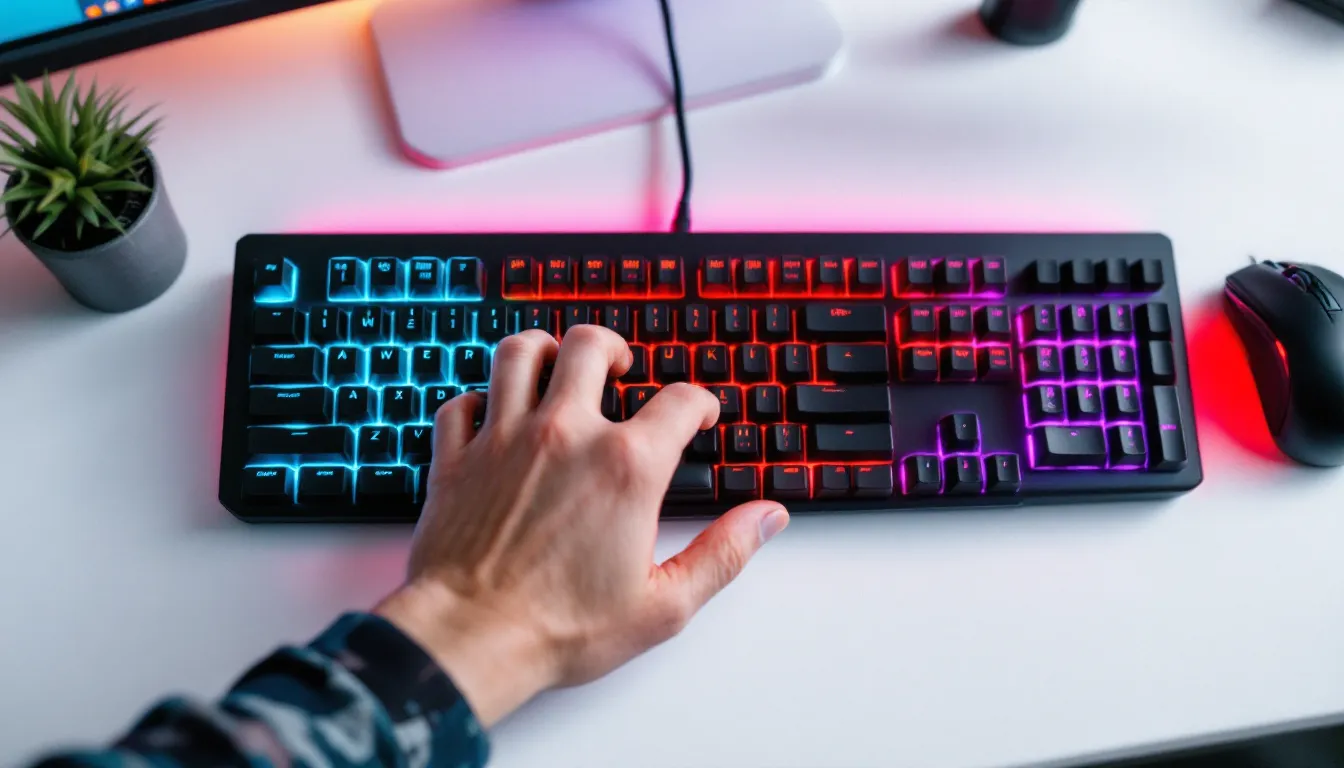
RGB isn’t just flash. Per-key backlighting helps identify bindings in low-light environments, and color-coding can reinforce muscle memory (blue for movement, red for offensive abilities, green for heals). Advanced lighting engines sync with in-game events, health dropping triggers red pulses, cooldowns ready flash white.
That said, RGB is a nice-to-have, not a must-have. If budget is tight, prioritize switch quality and programmability over lighting.
Build Quality and Durability
Gaming keypads take a beating. Repeated mashing, rage quits, and travel wear add up. Look for keypads with metal backplates or reinforced plastic frames. Keycaps should be double-shot PBT rather than ABS, they resist shine and legend fading over years of use.
Check user reviews on sites like PCMag for reports of key chatter, double-presses, or premature switch failure. A keypad that dies six months in isn’t worth half the price of a reliable one.
Wired vs. Wireless Connectivity
Wired keypads eliminate input lag and never need charging. USB-C or detachable cables add longevity, if the cable frays, you replace it rather than the entire unit.
Wireless keypads offer cleaner setups and flexibility for couch gaming or VR. Modern 2.4 GHz wireless (not Bluetooth) delivers latency under 1ms, functionally identical to wired. Battery life varies: budget 20-40 hours per charge for RGB models, 60+ with lighting off. Some keypads support USB passthrough charging, letting you game while plugged in.
Top Gaming Keypad Types and Configurations
Gaming keypads come in several form factors, each tailored to different genres and preferences.
One-Handed Gaming Keypads
The most common configuration. These feature a grid of 20-35 keys arranged for fingertip or palm placement, with a separate thumb cluster for modifiers and macros. Examples include the Razer Tartarus V2, Logitech G13 (discontinued but still popular), and budget options like the Redragon K585.
One-handed keypads are versatile. They work for FPS, MMOs, MOBAs, and simulation games without requiring radical rebinding. The learning curve is gentle, most players adapt within a few hours because the layout mirrors standard WASD positioning.
Key counts vary. A 20-key pad suits minimalist FPS players who only need movement, crouch, jump, reload, and weapon swaps. A 35-key pad accommodates MMO players juggling ability rotations, consumables, and communication bindings.
Analog Stick-Equipped Keypads
These hybrid devices replace WASD with a thumbstick, mimicking console controller movement. The Razer Tartarus Pro includes analog optical switches under every key, enabling variable input based on how far you press, light press for walk, full press for sprint.
Analog sticks offer 360-degree movement, useful in games where diagonal strafing or precise speed control matters (flight sims, space games, stealth titles). But, they’re divisive. Keyboard purists argue that digital WASD provides crisper, more predictable inputs for twitch shooters.
Analog keypads shine in hybrid genres, games like Star Citizen or Elite Dangerous that blend FPS mechanics with vehicle piloting. They’re less ideal for pure competitive shooters where binary on/off inputs are preferred.
Modular and Customizable Keypads
The cutting edge. Brands like Azeron and VKB offer fully modular keypads where users adjust key placement, swap switches, and even 3D-print custom components. The Azeron Cyborg, for instance, features a tower design with keys radiating around a central thumbstick, fingers curling naturally into position.
Modular keypads require investment, both financially (often $150-$300) and in setup time. You’ll spend hours tweaking angles, testing bindings, and iterating layouts. But for players willing to commit, the payoff is a device tailored to their exact hand geometry and playstyle.
These are overkill for casual gamers or those who switch genres frequently. They’re best suited to dedicated players in a single title or genre who want every possible edge.
Best Genres and Games for Gaming Keypads
Gaming keypads aren’t universal upgrades. They excel in specific genres and fall flat in others.
MMOs and MOBAs
Massively Multiplayer Online (MMO) games like Final Fantasy XIV, World of Warcraft, and Guild Wars 2 demand extensive hotkey setups. Rotations can require 15+ abilities, plus consumables, mounts, and social commands. Gaming keypads with layered profiles let players bind entire action bars without finger gymnastics.
Macros are game-changers here. A single key executing a cooldown sequence or announcing a mechanic in party chat saves precious GCD windows. Many high-end raiders swear by keypads for consistency, muscle memory locks in faster when every ability sits in the same physical position across alts and specs.
MOBAs like League of Legends and Dota 2 benefit less dramatically but still gain from ergonomic improvements and quick-cast macros. Keypads reduce wrist strain during hour-long matches, and thumb-activated item slots speed up reaction times when popping Zhonya’s or BKB under pressure.
First-Person Shooters (FPS)
Competitive shooters are hit or miss. Tactical FPS games like Valorant, Counter-Strike 2, and Rainbow Six Siege have relatively simple binding needs, movement, crouch, jump, reload, and utility. A keypad doesn’t add much over a good TKL keyboard unless desk space is the bottleneck.
Hero shooters like Overwatch 2 and Apex Legends benefit more. Heroes with multiple abilities, ultimates, and ping systems use more bindings, and macros can handle ability combos (Genji dash-melee, Pathfinder grapple-jump).
Battle royales sit in the middle. Fortnite’s build mode demands rapid inputs, and keypads can dedicate thumb buttons to build pieces, freeing fingers for movement and aim. PUBG and Warzone have simpler needs but still gain from ergonomic improvements during multi-hour sessions.
Simulation and Strategy Games
Flight sims, space sims, and city builders love keypads. Games like Microsoft Flight Simulator, X4: Foundations, and Cities: Skylines map dozens of camera controls, hotkeys, and shortcuts. A keypad consolidates these into a single hand, leaving the mouse free for precise camera work.
Real-time strategy (RTS) games, StarCraft II, Age of Empires IV, Company of Heroes 3, demand high APM and rapid control group switches. Keypads can bind control groups to thumb buttons, queue buildings to finger clusters, and layer unit commands across profiles. The ergonomic benefit during 30-minute macro marathons is real.
How to Set Up and Configure Your Gaming Keypad
Unboxing a gaming keypad is the easy part. Getting it dialed in takes patience and iteration.
Installing Software and Drivers
Most gaming keypads require manufacturer software, Razer Synapse, Logitech G Hub, or proprietary apps. Download the latest version from the official site (not third-party mirrors). Install, reboot if prompted, and check for firmware updates before doing anything else. Outdated firmware can cause input lag, key chatter, or profile corruption.
Once installed, the software should auto-detect the keypad. If it doesn’t, check USB connections and try a different port. Some keypads ship in BIOS mode and need a manual toggle to switch into programmable mode, consult the manual.
Creating Custom Key Bindings and Macros
Start by mirroring your existing keyboard layout. If you use WASD for movement, map those to the keypad’s equivalent positions. Then iterate.
For macros, record simple sequences first, reloads, weapon swaps, quick-chat messages. Test them in casual matches or practice modes. Once comfortable, layer in more complex macros: ability rotations, build orders, or combo strings.
Avoid over-macroing. Games with anti-cheat systems (especially competitive shooters and MMOs) sometimes flag excessive automation. Stick to macros that replicate humanly possible inputs, delays between presses, natural variance in timing.
Use profiles to separate game configs. One profile for Valorant, another for WoW, a third for Elden Ring. Cloud sync ensures profiles follow you between PCs, and on-the-fly switching (via a dedicated profile button) lets you adapt mid-session.
Optimizing Keypad Positioning for Comfort
Place the keypad so your wrist rests at a neutral angle, neither cocked up nor bent down. Your elbow should hang naturally at your side, not splayed outward. If the keypad sits too far forward, it strains the shoulder. Too close, and it cramps the wrist.
Experiment with tilt and rotation. Some gamers angle the keypad 10-15 degrees inward: others keep it square. There’s no universal answer, comfort is individual.
If the keypad feels unstable, add rubber feet or a non-slip mat. The last thing you need mid-firefight is the keypad sliding across the desk.
Common Mistakes to Avoid When Using a Gaming Keypad
Even experienced gamers stumble when transitioning to keypads. Here are the pitfalls to dodge.
Over-complicating bindings out of the gate. New keypad users often try to map everything immediately, abilities, emotes, scoreboard, screenshot keys. This creates cognitive overload. Start minimal. Map movement, core abilities, and jump/crouch. Add bindings gradually as muscle memory solidifies.
Ignoring the learning curve. Switching from keyboard to keypad tanks performance initially. You’ll fat-finger keys, miss bindings, and fumble in fights. That’s normal. Expect a week or two of adjustment before matching your old performance, and another few weeks before exceeding it. Don’t abandon the keypad after one bad session.
Neglecting ergonomic setup. A keypad won’t fix RSI if positioned poorly. Take time to adjust height, angle, and distance. If discomfort persists after a week, reassess your setup, don’t just push through pain.
Using default profiles. Factory bindings are generic and rarely optimal. Spend an hour customizing before your first real session. Future you will thank present you.
Forgetting to back up profiles. Software glitches, Windows updates, and driver conflicts can nuke configs. Export profiles regularly and store backups in cloud storage or an external drive.
Overusing macros in competitive games. Some titles have strict automation policies. In competitive modes, stick to single-action macros or risk bans. Check the game’s terms of service if unsure.
Gaming Keypad vs. Full-Size Keyboard: Which Should You Choose?
There’s no universal winner, only the right tool for your situation.
Choose a gaming keypad if:
- You main MMOs, MOBAs, or simulation games with extensive hotkey needs.
- Desk space is limited and you want room for lower-sens mouse movements.
- You suffer from wrist or shoulder strain during long sessions.
- You’re willing to invest time learning a new input method for long-term gains.
- You value portability, keypads pack easier for LAN events or travel setups.
Stick with a full-size keyboard (or TKL) if:
- You frequently type between games, emails, Discord chats, spreadsheets. Switching devices mid-session is clunky.
- You play a wide variety of genres and don’t want to manage multiple profiles.
- You’re on a tight budget. Quality mechanical keyboards start around $60: quality keypads rarely dip below $80.
- You value simplicity. Keyboards are plug-and-play: keypads demand configuration.
- You play competitive shooters where every millisecond counts and you’re already comfortable with your keyboard setup. If it ain’t broke, don’t fix it.
Some gamers run both, a TKL keyboard for typing and general use, a keypad for gaming. It’s extra cost and desk clutter, but it maximizes flexibility. Others use the keypad exclusively for specific titles (WoW, Dota) and default to keyboard for everything else.
The key is honest self-assessment. Don’t buy a keypad because a streamer uses one or because it looks cool. Buy it because it solves a problem you actually have.
Conclusion
Gaming keypads aren’t a magic bullet for better performance, but they’re a legitimate tool for players who need better ergonomics, faster macro execution, or more desk space. The 2026 market offers options ranging from budget-friendly membrane pads to premium modular systems with analog inputs and infinite customization.
Success with a gaming keypad hinges on matching the device to your needs, investing time in setup and muscle memory, and avoiding the common traps of over-complication and poor positioning. For MMO grinders, MOBA mains, and sim enthusiasts, the benefits are tangible and measurable. For competitive FPS players, the gains are subtler, mostly ergonomic rather than performance-driven.
If you’re on the fence, consider your primary genres, desk constraints, and willingness to adapt. A keypad won’t carry you to Challenger or Gladiator on its own, but paired with practice and smart configuration, it can become an extension of your playstyle, freeing up mental bandwidth, reducing strain, and letting you focus on what matters: outplaying the competition.